CCPA Cookie Banner Requirements: 2026 Compliance Guide

CCPA and CPRA do not require a GDPR-style opt-in cookie banner, but they do impose three concrete obligations that every covered website must meet: a Notice at Collection posted at or before the point of data collection, a conspicuous “Do Not Sell or Share My Personal Information” link on the homepage and footer, and effective opt-out handling that includes honoring Global Privacy Control (GPC) signals. Failing any one of these is an enforcement risk under the California Privacy Protection Agency’s (CPPA) current posture.
Three actions you can take this week to reduce that risk immediately:
- Add a “Do Not Sell or Share My Personal Information” link to your site footer and homepage, pointing to an interactive opt-out form.
- Update your cookie banner to show a “Decline All” option on the first layer, with equal visual prominence to “Accept All.”
- Configure your consent management platform to detect and honor GPC signals as valid opt-out requests for the device or browser sending them.
The CPPA Enforcement Advisory No. 2024-02 and the CCPA March 15 regulations are the two primary sources governing these requirements. Both are cited throughout this guide.
Table of Contents
- Which businesses do CCPA/CPRA cookie rules apply to?
- What does CCPA/CPRA actually require for cookies and notices?
- How should your cookie banner look and behave?
- How to honor opt-outs: technical implementation steps
- How is the CPPA enforcing cookie banner rules?
- What to update in your privacy policy and cookie disclosures
- A practical implementation timeline and checklist
- Your CCPA/CPRA cookie compliance checklist for this week
- Key Takeaways
- The part most compliance guides get wrong
- Passiro handles the technical side so you can focus on the decisions
- Useful sources for further reading
Which businesses do CCPA/CPRA cookie rules apply to?
CCPA and CPRA apply to for-profit businesses that collect personal information from California consumers and meet at least one of three thresholds: annual gross revenues exceeding a high threshold; buying, selling, receiving, or sharing the personal information of a large number of consumers or households per year; or deriving a significant portion of annual revenues from selling or sharing consumers’ personal information. A business does not need to be incorporated in California. If it serves California residents and meets a threshold, the law applies.

Cookie-based tracking triggers these obligations when the data collected via cookies, pixels, or cross-device identifiers constitutes “personal information” under the statute, which includes IP addresses, device identifiers, browsing history, and inferred profiles. An e-commerce site running Google Ads conversion tracking, a publisher embedding third-party ad network pixels, or a SaaS platform using analytics tools that share session data with vendors are all examples of operations where sale or sharing of personal information via cookies is occurring.
Common site types and their typical obligations:
- E-commerce with targeted advertising: Sale or sharing of identifiers to ad networks triggers the Do Not Sell or Share link and opt-out handling.
- Content publishers with ad networks: Third-party pixels that share browsing data for behavioral advertising constitute “sharing” under CPRA.
- Analytics-only sites: If analytics data is not sold or shared with third parties, the Do Not Sell or Share link may not be required, but Notice at Collection still applies.
- B2B SaaS platforms: If the platform processes personal information of California consumers (not just business contacts), CCPA obligations can apply.
GPC signals apply per device and per browser. A user who enables GPC on a mobile browser has opted out for that browser; the same user on a desktop browser without GPC has not. Your opt-out pipeline must handle both independently.
Pro Tip: If you are unsure whether your site meets a revenue or data-volume threshold, audit your analytics and ad vendor contracts first. Many sites unknowingly cross the 100,000-consumer threshold through routine analytics collection alone.
What does CCPA/CPRA actually require for cookies and notices?
Notice at Collection
The Notice at Collection must be posted at or before the point at which personal information is collected. For a website, this typically means a link on the collecting page itself or a banner that appears before any non-essential trackers fire. The notice must disclose:
- Categories of personal information collected (e.g., identifiers, browsing history, geolocation).
- The purposes for which each category is collected.
- Whether each category is sold or shared with third parties.
- The retention period for each category, or the criteria used to determine it.
- A link to the Notice of Right to Opt-Out of Sale or Sharing.
For mobile applications, the notice must appear before or at the point of collection, such as on a permissions screen or within the app’s onboarding flow.
The Do Not Sell or Share link
The California Consumer Privacy Act statute requires a clear and conspicuous link on the business’s internet homepages titled “Do Not Sell or Share My Personal Information.” The link must lead to a page where consumers can submit an opt-out request. Businesses must provide at least two designated methods for submitting opt-out requests, one of which must be an interactive web form accessible via that link. Additional acceptable methods include a toll-free phone number, email address, and mail.
GPC as a valid opt-out
Businesses that collect personal information online must treat GPC signals as valid opt-out requests for the specific device or browser sending the signal. This is not optional. A business cannot require a consumer to also click the Do Not Sell or Share link if GPC is already enabled. The signal is sufficient on its own.
Timing obligations
A business must comply with an opt-out request as soon as feasibly possible and no later than 15 business days from receipt. If personal information is sold or shared after the opt-out request but before compliance is completed, the business must notify those third parties and direct them not to sell or use that consumer’s information.

How should your cookie banner look and behave?
Symmetry in choice is the governing principle
CPPA Enforcement Advisory No. 2024-02 defines consent as “freely given, specific, informed, and unambiguous” and states explicitly that agreement obtained through dark patterns does not constitute consent. The practical implication for banner design is that “Accept All” and “Decline All” must be equal in visual prominence, button size, color weight, and number of steps required to reach them.
A banner that shows “Accept All” as a filled primary button and “More Information” as a secondary text link is non-compliant. The California Code of Regulations explicitly identifies this pattern as asymmetric and prohibited.
Sample first-layer banner text for California users
Short variant:
Expanded variant (for a second layer or preference center):
Do’s and don’ts checklist
Do:
- Show “Accept All” and “Decline All” on the first layer with equal visual weight.
- Use plain language; avoid phrases like “enhance your experience” as a substitute for disclosing data sharing.
- Treat a user closing the banner without making a choice as neither consent nor opt-out; do not fire non-essential trackers.
- Link directly to the Notice at Collection and privacy policy from the banner.
Don’t:
- Use a bright, filled “Accept” button alongside a low-contrast or text-only “Decline” option.
- Require users to navigate to a secondary menu to find “Decline All.”
- Use double negatives (“Do not uncheck to opt out”).
- Add extra confirmation steps for declining that are not present for accepting.
Pro Tip: Test your banner with GPC enabled in a Chromium-based browser (the Brave browser enables GPC by default) and verify that no third-party tracking pixels fire on page load. Also run the flow with a screen reader to confirm that accept and decline options are equally reachable by keyboard navigation.
How to honor opt-outs: technical implementation steps
Implementation checklist
- Detect GPC signals. Read the
Sec-GPC: 1HTTP header and thenavigator.globalPrivacyControlJavaScript property on every page load. Map the signal to the device/browser and suppress all sale- or sharing-related trackers immediately. - Implement the Do Not Sell or Share form. Build or configure an interactive web form accessible from the footer link. The form must not require account creation or information beyond what is necessary to process the request.
- Block non-essential trackers before consent is determined. Use automatic script blocking to prevent third-party pixels, ad tags, and analytics scripts from firing until the user’s preference is known. This applies to both banner interactions and GPC detection.
- Integrate IAB TCF v2.3. If your site uses IAB-registered vendors, configure your consent management platform as an IAB TCF v2.3 registered CMP. This ensures that vendor-level consent strings are generated and passed correctly to downstream partners. For banner design and implementation guidance, a registered CMP handles this automatically.
- Integrate Google Consent Mode v2. Pass consent state to Google tags using the
gtag('consent', 'update', {...})API so that Google’s measurement and advertising products respect the user’s choice. - Notify third parties within 15 business days. If a sale or sharing event occurs between receipt of an opt-out request and full compliance, send written notification to each relevant third party directing them not to sell or use that consumer’s data.
Persistence and scope
Opt-out preferences must persist across sessions for the browser or device on which they were set. A cookie or local storage entry recording the opt-out state should have a lifetime of at least 12 months. The statute prohibits re-prompting a consumer who has opted out for at least 12 months. GPC signals, by contrast, are re-evaluated on every page load because the user controls the signal at the browser level; your system should not override a live GPC signal with a stored “opted in” preference from a previous session.
Audit logging
| Log field | What to record | Purpose |
|---|---|---|
| Timestamp | Datetime of preference event | Establishes when opt-out was received |
| Method | Banner, footer link, GPC signal | Identifies the opt-out channel |
| Scope | Browser/device ID or account ID | Maps preference to the correct identity |
| Banner version | Version or hash of the banner/policy shown | Confirms what the user was presented |
| Third-party notification | Date and recipient of downstream notification | Documents 15-day compliance window |
Store these records for a minimum period consistent with your data retention policy and the potential statute of limitations for CPPA enforcement actions. Regulators expect evidence of timely action; a sparse or missing audit trail is itself an enforcement risk.
How is the CPPA enforcing cookie banner rules?
The CPPA’s enforcement posture since 2024 has focused on three categories of violation: dark patterns in consent interfaces, inadequate or absent Notice at Collection, and failure to honor opt-out signals including GPC.
Enforcement Advisory No. 2024-02 provides the clearest statement of what regulators consider non-compliant:
Specific enforcement triggers the advisory identifies include:
- Banners that offer “Accept All” on the first layer but require users to navigate to a secondary screen to decline.
- Interfaces where the “yes” button is visually dominant and the “no” option is de-emphasized through color, size, or placement.
- Treating banner dismissal or inaction as implied consent to data processing.
- Burying the Do Not Sell or Share link in a privacy policy rather than placing it conspicuously on the homepage.
Risk mitigation steps:
- Document every design decision in your banner and consent flow, including the rationale for button colors, placement, and copy.
- Run periodic UX audits with real users to confirm that opt-out paths are not harder to navigate than opt-in paths.
- Preserve audit logs and timestamps as described above; regulators may request evidence of when opt-outs were received and acted upon.
- Respond promptly to any CPPA inquiry; delayed responses compound enforcement risk.
Regulators treat design-level choice architecture as a compliance decision. A simple visual change, such as making the “Accept” button green and the “Decline” button gray, can convert a lawful banner into an enforcement target.
What to update in your privacy policy and cookie disclosures
Notice at Collection checklist
Your Notice at Collection must include:
- Categories of personal information collected, mapped to each collection point.
- The specific purpose for each category.
- A clear statement of whether each category is sold or shared with third parties.
- Retention periods or the criteria used to determine them.
- A link to the Notice of Right to Opt-Out of Sale or Sharing.
For web, the notice can be a link on the collecting webpage. For mobile, it must appear before or at the point of collection.
Privacy policy required content
Per CPPA guidance, the privacy policy must cover:
- Categories of personal information collected in the last 12 months and the sources of that information.
- The business or commercial purposes for collection.
- Categories of third parties to whom personal information is disclosed.
- Instructions for exercising opt-out rights, including the Do Not Sell or Share link.
- An explanation of how opt-out preference signals, including GPC, are processed.
- The verification process for consumer rights requests.
Cookie table guidance
| Cookie name/category | Type | Purpose | Sold or shared? | Retention |
|---|---|---|---|---|
| _ga (Google Analytics) | Non-essential | Traffic analytics | Yes, shared with Google | 2 years |
| _fbp (Meta Pixel) | Non-essential | Ad targeting | Yes, sold/shared | 12 months |
| session_id | Essential | Session management | No | Session |
| consent_pref | Essential | Stores consent choice | No | 12 months |
Label each cookie as essential or non-essential. Essential cookies, those strictly necessary for the site to function, do not require opt-out handling, but they must still be disclosed in the Notice at Collection. Non-essential cookies that are sold or shared require the Do Not Sell or Share mechanism.
Sample policy snippet for the Do Not Sell or Share link placement
Place the following in your privacy policy and on your homepage footer:
A practical implementation timeline and checklist
Phased project plan
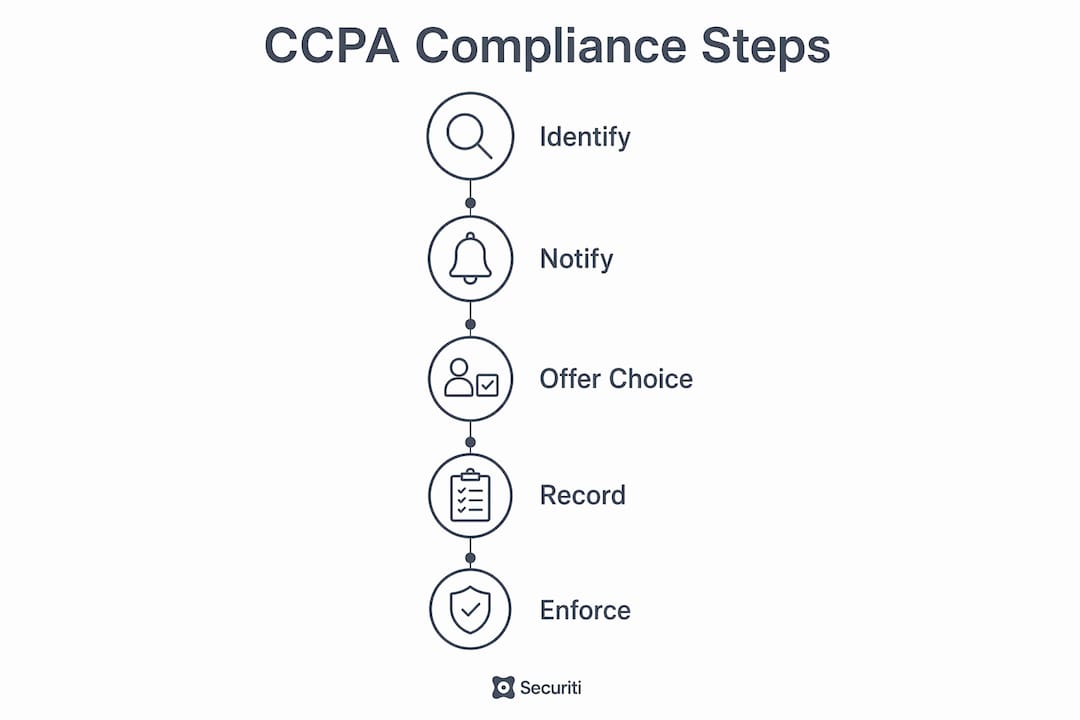
- Discovery (Day 1–2): Audit all third-party scripts and pixels on your site. Identify which constitute sale or sharing of personal information. Review your current banner for symmetry and GPC handling. Document gaps.
- Banner design and CMP configuration (Day 3–5): Update or deploy a consent management platform with equal-prominence Accept All and Decline All on the first layer. Configure geo-targeting to show the California-specific banner to California visitors. For WordPress sites, a plugin-based CMP can reduce this phase to a few hours.
- Script blocking (Day 3–5, parallel): Enable automatic script blocking so non-essential trackers do not fire before consent is determined. Test with GPC enabled to confirm no pixels load on page entry.
- Server-side opt-out endpoints (Day 5–10): Build or configure the interactive Do Not Sell or Share form. Integrate with your CRM or data platform to suppress sale or sharing for opted-out users. Set up the 15-business-day notification workflow for third parties.
- Audit logging (Day 5–10, parallel): Implement the log fields described in the technical section above. Confirm that GPC signals, banner interactions, and footer link submissions are all captured.
- QA and launch (Day 10–14): Simulate GPC in multiple browsers. Verify no tracking pixels fire before consent. Validate that opt-out preferences persist across sessions. Confirm third-party notification workflows trigger correctly.
Timeline estimates by site size
| Site type | Estimated timeline | Primary effort drivers |
|---|---|---|
| Small site (1–5 pages, few vendors) | 1–2 days | Banner update, footer link, GPC detection |
| Mid-size site (CMS, multiple ad/analytics vendors) | 1–2 weeks | Script audit, CMP configuration, form build |
| Large platform (multiple domains, server-side events) | — | Server-side opt-out API, cross-domain sync, legal review |
Pro Tip: For large platforms, use feature flags to roll out GPC handling and script blocking incrementally. Deploy to 5–10% of California traffic first, monitor for broken functionality, then expand. This reduces the risk of a site-wide outage from a misconfigured tag manager rule.
Your CCPA/CPRA cookie compliance checklist for this week
High-priority actions to complete within the next few days:
- Add the Do Not Sell or Share link to your homepage and site footer. The link must be titled exactly “Do Not Sell or Share My Personal Information” or “Your Privacy Choices” and must open an interactive opt-out form.
- Update your banner to show “Decline All” on the first layer with the same visual weight as “Accept All.” Remove any design that makes declining harder or less prominent than accepting.
- Enable GPC detection in your consent management platform or custom implementation. Test with
navigator.globalPrivacyControlin the browser console and confirm that non-essential scripts do not load when GPC is active. - Block non-essential trackers before consent is determined. Verify this with your browser’s network tab: no third-party ad or analytics requests should appear on initial page load before a banner choice is made.
- Update your Notice at Collection to include categories, purposes, sale/sharing status, retention, and the opt-out link.
- Add GPC handling language to your privacy policy.
- Test opt-out persistence by declining, closing the browser, reopening, and confirming no non-essential trackers fire on return.
- Start an audit log capturing timestamp, method, scope, and banner version for every preference event.
For regulatory citations to share with your legal team: CPPA Enforcement Advisory No. 2024-02, the CCPA March 15 regulations, and the CPPA Notice at Collection guidance.
This article provides general information about CCPA/CPRA requirements and is not legal advice. Confirm current requirements with the California Privacy Protection Agency or a qualified privacy attorney for your specific situation.
Key Takeaways
CCPA and CPRA require a Notice at Collection, a conspicuous Do Not Sell or Share link, and effective opt-out handling including GPC, but they do not require a GDPR-style opt-in consent banner.
| Point | Details |
|---|---|
| No opt-in banner required | CCPA/CPRA mandate notice and opt-out, not prior consent; the GDPR model does not apply in California. |
| Symmetry in choice is mandatory | Accept and Decline must be equal in steps, visual weight, and placement per 11 CCR § 7004(a)(2). |
| GPC is a valid opt-out | Businesses must honor GPC signals for the device or browser sending them, with no additional steps required from the user. |
| 15-business-day compliance window | Opt-out requests must be acted on within 15 business days; third parties must be notified if a sale occurs during that window. |
| Passiro for implementation | Passiro is an IAB TCF v2.3 registered CMP (ID 499) with automatic script blocking and a free tier covering unlimited domains, designed to support CCPA/CPRA notice and opt-out obligations. |
The part most compliance guides get wrong
Most articles about CCPA cookie compliance focus on whether a banner is technically required. That is the wrong question. The CPPA’s enforcement record makes clear that the agency is far more interested in how choices are presented than in whether a banner exists at all. A business with no banner but a functional Do Not Sell or Share footer link and working GPC detection is in a stronger position than a business with an elaborate banner that buries the decline option behind two additional clicks.
The symmetry requirement in 11 CCR § 7004(a)(2) is not a design preference. It is a legal standard, and regulators apply it at the pixel level. A “Decline” button that is 20% smaller than “Accept,” or rendered in a gray that fails contrast ratio standards, is the kind of detail that appears in enforcement correspondence. The advisory’s illustrative examples are not hypothetical; they describe real interface patterns that the CPPA has flagged.
There is also a persistent misconception that GPC is a niche signal used by a small number of privacy-conscious users. Browser-level privacy controls are becoming standard features, not edge cases. Building GPC handling as an afterthought, rather than as a first-class input to your opt-out pipeline, is a technical debt that compounds over time as more browsers enable the signal by default.
The most durable compliance posture is one built on documentation: record every design decision, every opt-out event, and every third-party notification. Regulators do not expect perfection; they expect evidence of good-faith, timely action.
Passiro handles the technical side so you can focus on the decisions
Implementing CCPA/CPRA notice and opt-out mechanics correctly requires a consent management platform that handles GPC detection, automatic script blocking, and audit logging without requiring custom engineering for every site. Passiro is an IAB TCF v2.3 registered CMP (CMP ID 499) with Google Consent Mode v2 integration, a 4,900+ tracker database updated daily from EasyPrivacy, and geo-targeted banners that show California-specific notices to California visitors automatically.
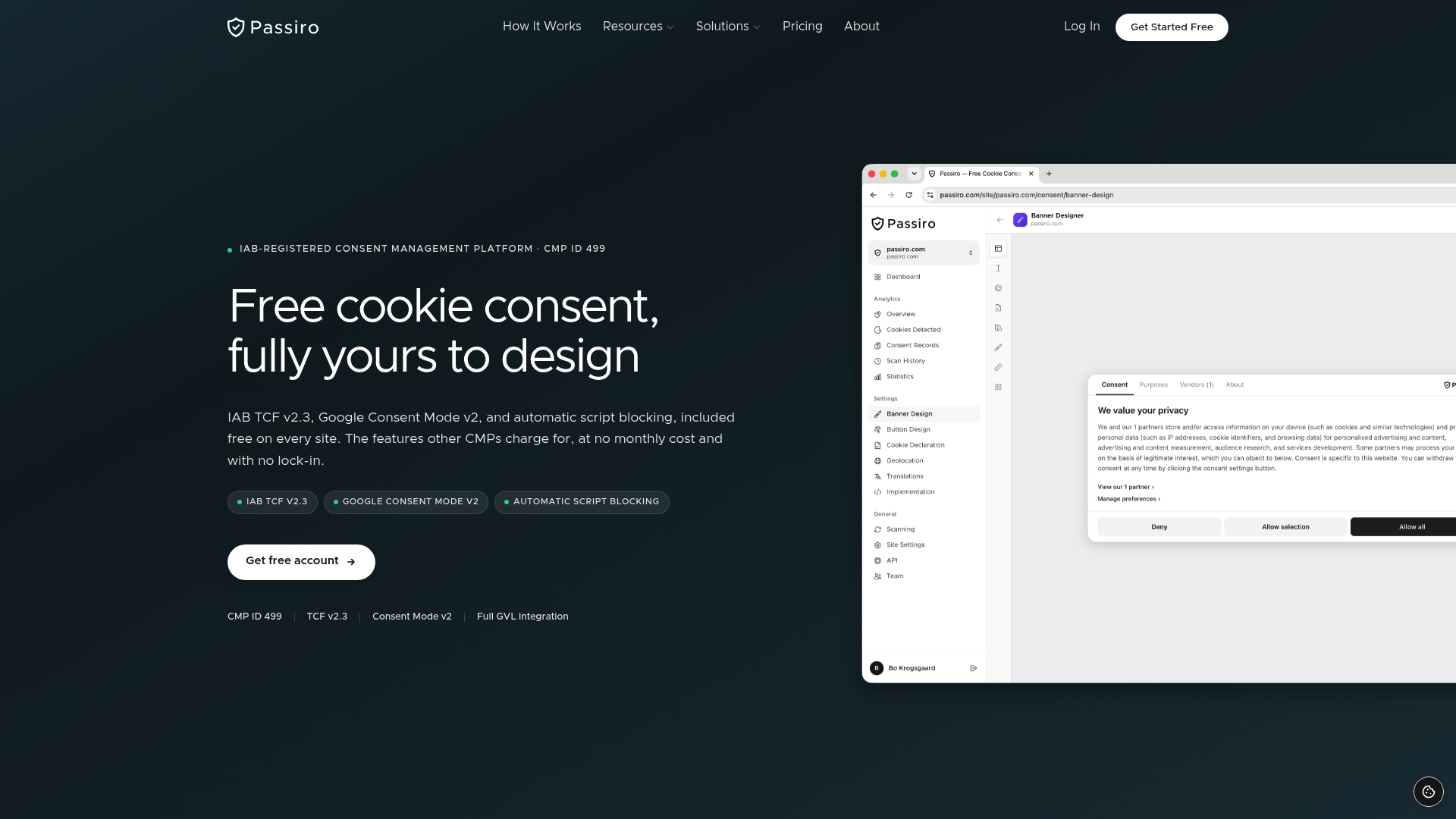
The free tier covers unlimited domains and unlimited traffic, with no page limits or expiry. The visual designer lets you configure equal-prominence Accept All and Decline All buttons without writing CSS, and the 25-language support handles multi-region sites from a single account. Two limitations worth noting: Passiro does not include DSAR (Data Subject Access Request) automation, and it does not offer vendor risk management features. For those functions, a dedicated privacy operations tool is needed alongside the CMP.
For WordPress sites, the Passiro WordPress plugin installs in minutes and handles script blocking, GPC detection, and consent logging out of the box. Website builder users on Wix, Squarespace, or Webflow can deploy via the website builder integration. The free tier is permanent, not a trial.
Useful sources for further reading
The following primary documents are the authoritative references for CCPA/CPRA cookie and consent requirements. Share the regulatory citations with your legal team and use the CPPA advisory for UX review.
- CPPA Enforcement Advisory No. 2024-02 (Consent): The primary source for dark pattern prohibitions, the symmetry-in-choice requirement, and the definition of valid consent. Use this for banner design review and legal sign-off.
- CCPA March 15 Regulations (OAG): The final regulation text covering opt-out methods, GPC handling, the 15-business-day compliance window, and third-party notification requirements. Use this for technical QA and opt-out pipeline design.
- CPPA Notice at Collection Guidance: Specifies the required content and placement of the Notice at Collection and the privacy policy. Use this for policy drafting and cookie table construction.
- California Consumer Privacy Act Statute (CPPA): The full statutory text of CCPA and CPRA, including the Do Not Sell or Share link requirements under Civil Code § 1798.135. Use this for legal review of scope and applicability thresholds.
- California Code of Regulations, 11 CCR § 7004 (Westlaw): The regulatory text on methods for submitting requests and obtaining consent, including the illustrative examples of prohibited asymmetric interfaces. Use this for UX compliance documentation.
- CPPA Announcements (cppa.ca.gov): Current agency announcements and enforcement updates. Monitor this page for new advisories and rulemaking activity.
- OAG CCPA Overview (oag.ca.gov): The California Attorney General’s overview of CCPA rights and business obligations. Useful as a plain-language reference for non-legal stakeholders.
Recommended
- Cookie Banners – Design, Implementation, and Compliance Guide | Passiro
- Cookie Disclaimer: A 2026 Compliance Guide for Website Owners | Passiro
- Cookie Compliance – Your Complete Guide to Cookie Consent and Privacy Regulations | Passiro
- Cookie Compliance Checklist – 25-Point Verification for Your Website | Passiro
Get compliant cookie consent — free
Passiro gives you a compliant cookie banner with IAB TCF v2.3 and Google Consent Mode v2, free on every site.