Cookie Disclaimer: A 2026 Compliance Guide for Website Owners

A cookie disclaimer is a clear, accessible statement that informs website visitors about cookie usage and obtains their consent where legally required. The industry term for the underlying mechanism is a “consent management platform” or “consent banner,” but “cookie disclaimer” describes the visible notice users see. Under the GDPR, the ePrivacy Directive, CCPA, and CPRA, websites must display this notice before placing non-essential cookies on a visitor’s device. Failing to do so exposes businesses to regulatory enforcement, fines, and loss of user trust. This guide covers what the law requires, how to build a compliant notice, and how to maintain it over time.
What regulations require a cookie disclaimer?
Three major regulatory frameworks drive cookie disclaimer requirements worldwide. The GDPR and ePrivacy Directive govern websites targeting EU residents. The CCPA and CPRA apply to businesses handling California residents’ data. Brazil’s LGPD follows a similar consent-based model. Each framework has distinct rules, but all share one principle: users must have meaningful control over how their data is collected.
Under GDPR and PECR, non-essential cookies require prior, explicit, and unambiguous consent before any tracking script fires. “Strictly necessary” cookies, such as session tokens and shopping cart data, are exempt. Analytics cookies, advertising pixels, and social media trackers are not exempt and require active opt-in.

US state laws operate differently. CCPA and CPRA follow an opt-out model, meaning websites may place cookies by default but must offer a clear “Do Not Sell or Share My Personal Information” mechanism. Many US states also require websites to honor Global Privacy Control (GPC) signals, which are browser-level signals that automatically communicate a user’s opt-out preference.
Key principles shared across all major frameworks:
- Consent must be freely given. Users cannot be penalized for refusing non-essential cookies.
- Consent must be specific. Blanket acceptance of all cookies does not satisfy GDPR requirements.
- Consent must be informed. Users must understand what cookies do before agreeing.
- Consent must be withdrawable. Withdrawing consent must be as easy as granting it.
- Strictly necessary cookies are always exempt from consent requirements.
EU data protection authorities require that Accept and Decline options carry equal visual prominence. Hiding the Reject button behind extra clicks or making it gray while the Accept button is bright green is a recognized non-compliant pattern.
How to create an effective cookie disclaimer message
An effective cookie disclaimer communicates three things clearly: what cookies the site uses, why it uses them, and what the user can do about it. The message must appear before any non-essential cookie fires, not after the page loads.
The banner text should include:
- A plain-language description of cookie categories in use (necessary, analytics, marketing, preferences).
- The purpose of each category, such as “analytics cookies help us understand how visitors use our site.”
- A link to a standalone cookie policy document with full technical detail.
- Clear Accept and Decline buttons with equal visual weight.
- A link or button to manage granular preferences by category.
The cookie policy itself is a separate legal document. Cookie policies should explain all cookies used, their categories, legal bases for processing, and user rights. Burying this information inside a general privacy policy does not meet regulatory expectations.
Pro Tip: Never pre-tick consent checkboxes. Pre-ticked boxes do not constitute valid consent under GDPR. Every consent category must start unchecked, and the user must actively select it.
Dark patterns are a common compliance failure. A “cookie wall” that blocks site access unless users accept all cookies is non-compliant under GDPR because consent is not freely given when access depends on it. Regulators have issued enforcement actions specifically targeting this practice.
Good banner language is direct and specific. “We use analytics cookies to measure traffic and marketing cookies to show relevant ads. You can accept all, decline all, or manage your preferences.” Bad banner language is vague and manipulative: “We use cookies to improve your experience” with only an Accept button visible.
Technical implementation: blocking scripts and storing consent
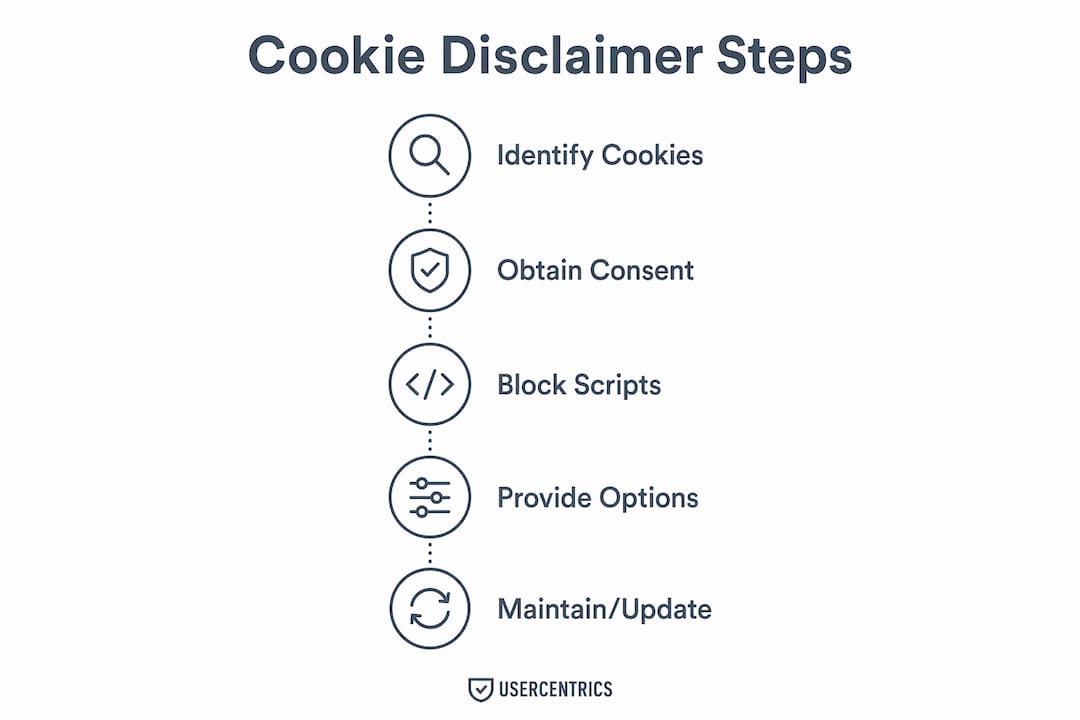
The most common compliance failure is displaying a consent banner while still loading tracking scripts in the background. Non-essential scripts must be blocked by default until the user actively grants consent. Simply delaying a script by a few seconds does not satisfy this requirement.
The correct technical approach involves three layers:
- Script blocking by default. Tag all non-essential scripts with a type attribute that prevents the browser from executing them. A consent management platform then replaces the blocked tag with an active one only after the user consents to the relevant category.
- Consent category mapping. Group scripts into categories: necessary, analytics, marketing, and preferences. When a user accepts analytics but declines marketing, only analytics scripts should fire.
- Consent storage and audit trails. Consent records must include a timestamp, the consent categories accepted, and the version of the cookie policy in effect at the time. A hashed identifier is sufficient. Storing names or email addresses for this purpose is unnecessary and creates additional data risk.
| Compliance requirement | Correct implementation | Common failure |
|---|---|---|
| Script blocking | Block scripts by type attribute before consent | Scripts load on page render regardless of banner |
| Consent categories | Granular accept/decline per category | Single all-or-nothing toggle |
| Audit trail | Timestamp, category, policy version stored | No record kept; banner display assumed sufficient |
| Consent withdrawal | Persistent link to re-open consent manager | No mechanism after initial choice |
| Cookie wall prohibition | Full site access regardless of consent choice | Access blocked until user accepts all cookies |
Pro Tip: Test your implementation by opening the browser’s developer tools and checking the Network tab before interacting with the consent banner. No analytics or marketing requests should appear until after you click Accept.
Providing users with a persistent mechanism to change their consent is also required. A small “Cookie Settings” link in the site footer, which re-opens the consent manager, satisfies this requirement. Removing this link after the initial visit is a compliance gap that regulators have flagged in audits.
Maintaining compliance: auditing cookies and updating disclaimers
Cookie compliance is not a one-time task. Websites change constantly. New plugins, third-party widgets, embedded videos, and advertising scripts can introduce cookies that were never disclosed in the original consent notice. Uncategorized cookies firing without user consent represent a direct regulatory violation, even if a banner is present.
Regular cookie auditing involves scanning the website to identify every cookie and tracking technology in use, then verifying each one is correctly categorized and disclosed. Scans should cover all major pages, not just the homepage, because third-party scripts often load differently across page types.
Best practices for ongoing compliance:
- Schedule cookie scans at least quarterly, or after any significant site update.
- Document every cookie found, including its name, provider, category, duration, and purpose.
- Update the cookie policy and banner categories whenever new cookies are added or removed.
- Review consent flows when entering new geographic markets, since regional rules differ.
- Retain consent records for at least the duration required by applicable law.
Geographic targeting adds another layer. A website serving both EU and US visitors may need to show an opt-in banner to European visitors and an opt-out notice to California residents, based on the detected location of each user. A cookie compliance checklist helps verify that each regional flow meets the correct standard.
Passiro’s cookie scanning tools automate the discovery and categorization process, reducing the manual effort required to maintain an accurate cookie inventory across multiple domains.
Common mistakes and how to fix them
Most cookie disclaimer failures fall into a small number of repeatable patterns. Identifying them early prevents enforcement exposure.
- Pre-ticked consent boxes. Remove them. Every consent category must default to unchecked under GDPR.
- Cookie walls. Remove access restrictions tied to cookie acceptance. Consent must be freely given.
- Hidden Reject options. The Decline or Reject All button must be as visible and accessible as the Accept button.
- No audit trail. Implement consent logging with timestamps, categories, and policy version numbers.
- Scripts firing before consent. Use proper script-type blocking, not just delayed loading.
- No withdrawal mechanism. Add a persistent “Cookie Settings” link in the footer.
- Outdated cookie policy. Review and update the policy after every site change that adds or removes tracking.
Pro Tip: Use a private browsing window to test your consent banner as a first-time visitor. Check that no analytics or advertising cookies appear in the browser’s storage panel before you interact with the banner.
Testing across browsers and devices matters. Consent behavior can differ between Chrome, Firefox, Safari, and mobile browsers. A banner that blocks scripts correctly on desktop may fail on mobile if the implementation relies on browser features with inconsistent support. Validate the full consent flow on at least three browser and device combinations before launch.
Key Takeaways
A compliant cookie disclaimer requires blocking non-essential scripts by default, offering equal Accept and Decline options, storing timestamped consent records, and auditing cookies regularly to keep disclosures accurate.
| Point | Details |
|---|---|
| Block scripts before consent | Non-essential tracking scripts must not fire until the user actively accepts the relevant category. |
| Equal button prominence | Accept and Decline options must carry equal visual weight; hiding the Reject button is non-compliant. |
| Store consent audit trails | Log timestamps, consent categories, and cookie policy version numbers for every consent event. |
| Audit cookies regularly | Scan all site pages at least quarterly to catch undisclosed or newly added tracking technologies. |
| Maintain a withdrawal mechanism | A persistent “Cookie Settings” link in the footer satisfies the requirement to withdraw consent easily. |
Why compliance is worth getting right the first time
Cookie consent compliance looks simple from the outside. A banner appears, the user clicks, and the site moves on. The reality is more demanding. I have reviewed dozens of implementations that display a banner while simultaneously loading Google Analytics, Meta Pixel, and advertising scripts in the background. The banner provides legal cover only if the underlying technical behavior matches what it promises.
The value of a well-implemented consent notice goes beyond avoiding fines. Users who see a clear, honest banner with a genuine Decline option are more likely to trust the site and, over time, more likely to consent. Consent rates on transparent banners consistently outperform those on manipulative designs, because users who feel coerced often abandon the site entirely.
The ongoing maintenance requirement is where most small and medium-sized businesses fall short. A plugin update, a new advertising partner, or an embedded YouTube video can introduce undisclosed cookies overnight. Without a scheduled audit process, these additions accumulate silently until a complaint or regulatory review surfaces them.
Getting the technical implementation right once, then building a quarterly review into standard site operations, is the most cost-effective path to sustained compliance. The alternative is reactive remediation after a regulatory inquiry, which costs significantly more in time, legal fees, and reputational damage.
— Bo
Passiro makes cookie consent compliance straightforward
Building a compliant cookie consent setup does not require enterprise software or a legal team on retainer. Passiro provides free cookie consent tools that support GDPR, ePrivacy, CCPA, CPRA, and LGPD, covering the regulatory frameworks that affect most websites operating today.
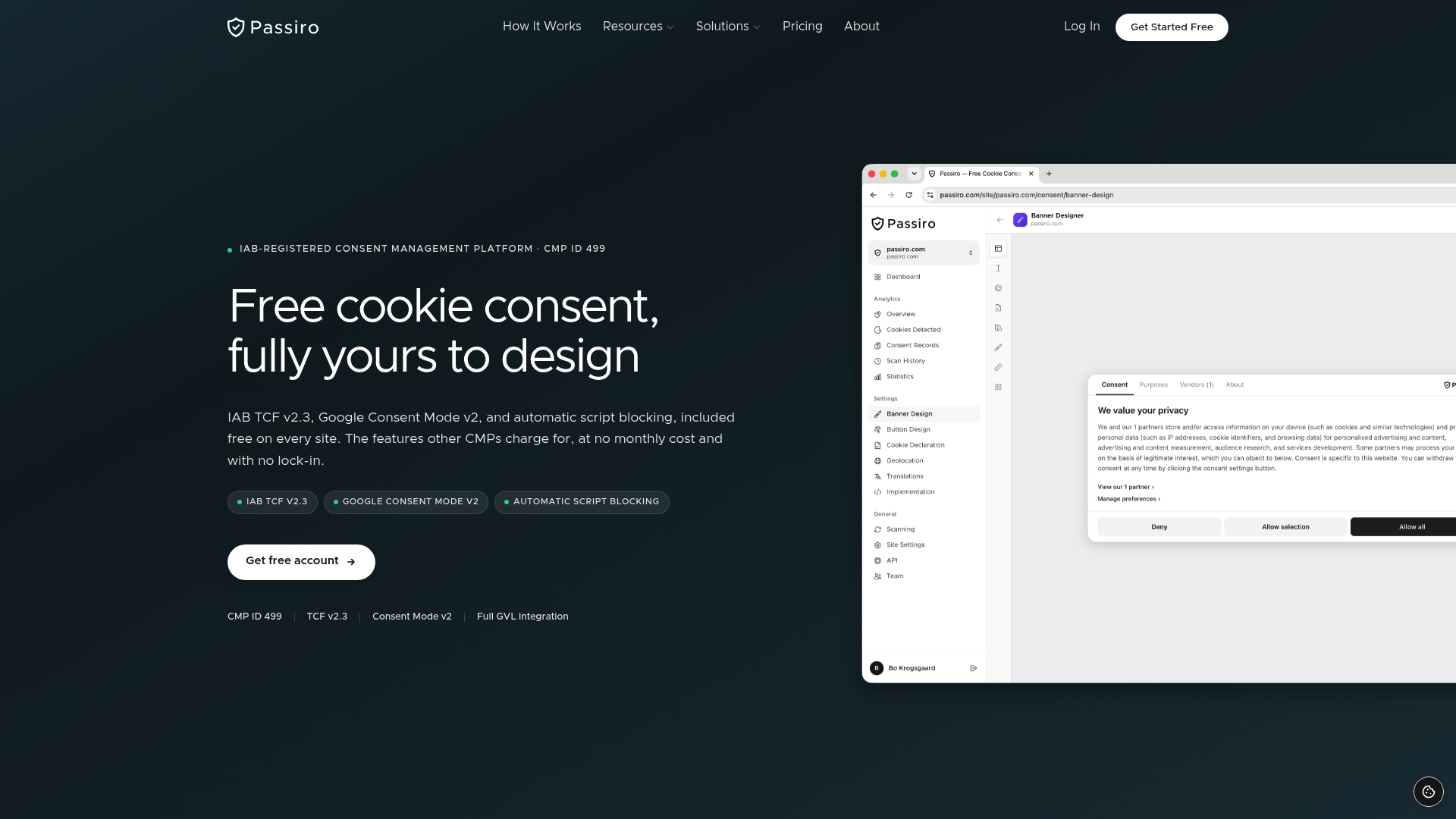
Passiro integrates directly with WordPress, Wix, Squarespace, and Webflow, with detailed documentation that guides setup without requiring developer expertise. For website builders specifically, Passiro’s website builder solution handles consent banner deployment, script blocking, and consent storage out of the box. WordPress users can install the Passiro WordPress plugin for a free, TCF 2.3-compliant consent setup that updates automatically as regulations evolve. Agencies managing multiple client domains can scale across all sites from a single account.
FAQ
What is a cookie disclaimer?
A cookie disclaimer is a notice displayed on a website that informs visitors about cookie usage and, where required by law, obtains their consent before non-essential cookies are placed on their device.
Is a cookie disclaimer legally required?
Websites targeting EU residents must display a consent banner under GDPR and the ePrivacy Directive before placing non-essential cookies. US websites serving California residents must provide an opt-out mechanism under CCPA and CPRA.
What is the difference between a cookie disclaimer and a cookie policy?
A cookie disclaimer is the visible banner or notice that collects consent. A cookie policy is a separate legal document that details every cookie used, its purpose, legal basis, and user rights.
Can I use a pre-ticked consent box?
Pre-ticked boxes do not constitute valid consent under GDPR. Every consent category must default to unchecked, and users must actively select the categories they agree to.
How often should I update my cookie disclaimer?
Review and update your cookie notice after every significant site change, and conduct a full cookie audit at least quarterly to catch any undisclosed tracking technologies introduced by plugins or third-party scripts.
Recommended
Get compliant cookie consent — free
Passiro gives you a compliant cookie banner with IAB TCF v2.3 and Google Consent Mode v2, free on every site.