Do I Need a Cookies Policy on My Website?

If your website uses any cookies or tracking technologies beyond those strictly necessary to deliver the page, you need a cookie policy and, in most cases, either a consent mechanism or a clear opt-out mechanism. That answer holds whether you run a five-page brochure site or a full e-commerce operation.
- When a policy is effectively required: Any site that loads analytics, advertising pixels, social embeds, or third-party trackers must disclose those practices. Under CCPA/CPRA, California-resident visitors have the right to know what data is collected and to opt out of its sale or sharing. Under GDPR and the ePrivacy Directive, EU visitors must actively consent before non-essential cookies fire.
- When notice alone may suffice: For U.S. visitors outside California, a clear disclosure of data practices and an opt-out mechanism often satisfies current state-law requirements, though the patchwork of state laws is expanding rapidly.
- Immediate next step: Run a cookie scan on your site to identify every tracker present, then map each one to a legal category before drafting any policy text. Passiro’s scanner checks against a 4,900+ tracker database updated daily from EasyPrivacy.
Table of Contents
- What a cookie policy is and what it covers
- When does your site actually need a cookie policy?
- Which laws govern cookie requirements for U.S. sites?
- Consent versus notice: what to do based on where your users are
- What to include in your cookie policy: a practical checklist
- Privacy policy vs separate cookie policy: which structure fits your site?
- How to add a cookie policy and implement consent on your site
- How a modern CMP enforces your policy in practice
- What happens if you don’t disclose cookies or provide required controls?
- Key Takeaways
- The part most site owners get wrong
- Cookie consent without the complexity or the monthly invoice
- Authoritative sources and official guidance
What a cookie policy is and what it covers
A cookie policy is a disclosure document that tells visitors which cookies and similar tracking technologies your website sets, why it sets them, how long they persist, and who else receives the data they generate; for an example privacy policy used by a tech service, see Tendr.me’s Privacy Policy. It is distinct from a general privacy policy, though the two documents are closely related and should cross-reference each other. Many sites fold cookie disclosures into their privacy policy; others publish a standalone page. Either approach can satisfy legal requirements, provided the information is specific, accessible, and current.
Cookie categories determine what you must disclose and whether consent is required before a cookie fires.
- Strictly necessary cookies keep the site functional: session identifiers, shopping cart state, security tokens. These are exempt from consent requirements under EU ePrivacy rules but still require disclosure.
- Functional cookies remember user preferences such as language selection or region. They are not strictly necessary but do not typically serve advertising purposes.
- Analytics cookies count visits, measure page performance, and track user journeys. Despite their seemingly benign purpose, analytics cookies generally require consent under EU law because they process personal data.
- Marketing and advertising cookies track users across sites to build profiles and serve targeted ads. These carry the highest legal scrutiny and require explicit opt-in consent for EU visitors.
- Social and embed cookies are set when a site loads a YouTube video, a Twitter feed, or a Facebook Like button. The third-party platform may set its own cookies through your pages.
- Fingerprinting and cross-site tracking technologies do not always rely on traditional cookies but still constitute personal data processing and require the same disclosures.
The distinction between strictly necessary and non-essential is narrower than many site owners assume. A cookie that makes the site more convenient for the operator, rather than technically indispensable for the user, typically falls outside the strictly necessary category.
When does your site actually need a cookie policy?
The practical trigger is straightforward: if your site sets any cookie or loads any script that processes personal data beyond what is strictly required to serve the page, you need disclosures and, for many visitors, a consent or opt-out mechanism. Even small websites that use analytics or third-party embeds trigger the same transparency obligations as larger sites, because the third-party tracker processes personal data regardless of the host site’s size.
Specific triggers that require a cookie policy or disclosures:
- Your site loads Google Analytics, Adobe Analytics, or any similar measurement tool.
- You run Google Ads, Meta Ads, or any retargeting pixel.
- Your pages embed YouTube videos, social sharing buttons, or third-party comment systems.
- You use a live chat widget, heatmap tool, or session-recording software.
- Your site sells or shares personal data with third parties, triggering CCPA/CPRA opt-out obligations.
- You use cross-site identifiers or device fingerprinting for any purpose.
- Your site receives visitors from the EU, UK, or any jurisdiction with opt-in consent requirements.
Consider two contrasting cases. A small brochure site that sets only a session cookie for form submission and hosts no third-party scripts has minimal obligations: a brief disclosure in the privacy policy likely suffices. An e-commerce site running Google Analytics, a Meta pixel, and a live chat tool has multiple non-essential trackers firing on every page visit. That site needs a detailed cookie policy, a consent banner for EU visitors, and an opt-out mechanism for California residents.
The visitor-location principle is critical. Laws apply based on where your visitors are located, not where your server sits. A business in Texas whose site attracts EU traffic is expected to meet EU cookie rules for those visitors. Because most sites cannot control who visits, the practical default for any site with meaningful traffic is to publish a cookie policy and implement appropriate controls.

Which laws govern cookie requirements for U.S. sites?
There is no single federal U.S. law that mandates a cookie policy for all websites, but a growing number of U.S. states have enacted or proposed comprehensive privacy laws that include transparency requirements for data collection, and the legal exposure for non-disclosure is real.
U.S. legal framework
CCPA/CPRA (California): The California Consumer Privacy Act, as amended by the California Privacy Rights Act, requires businesses that meet certain thresholds (annual gross revenue above a high threshold, data on a large number of consumers, or deriving a significant portion of revenue from selling personal information) to disclose the categories of personal information collected, the purposes of collection, and consumers’ rights to opt out of the sale or sharing of their data. The California Attorney General’s office provides detailed CCPA compliance guidance on these obligations.
Other state laws: Virginia, Colorado, Connecticut, Texas, and more than a dozen other states have enacted comprehensive privacy statutes. Most include transparency requirements and opt-out rights for targeted advertising and data sales, though thresholds and specifics vary by state.
FTC guidance: The Federal Trade Commission treats undisclosed or misrepresented data collection as an unfair or deceptive practice under Section 5 of the FTC Act. Any U.S. website that collects data through cookies without adequate disclosure faces potential FTC scrutiny, regardless of size or revenue.
EU and UK framework (for sites with EU/UK visitors)
Under GDPR and the ePrivacy Directive, websites must obtain prior opt-in consent before setting non-essential cookies for EU visitors. The ePrivacy Directive (Article 5(3)) and subsequent CJEU rulings confirm that pre-ticked boxes and implied consent do not meet the legal standard. Strictly necessary cookies are exempt from consent but still require disclosure. The UK’s PECR and UK GDPR impose equivalent requirements for UK visitors.
Core differences at a glance
| Dimension | U.S. (CCPA/CPRA and state laws) | EU/UK (GDPR, ePrivacy, PECR) |
|---|---|---|
| Consent model | Notice + opt-out (for sales/sharing); transparency for all | Prior opt-in consent for non-essential cookies |
| Strictly necessary cookies | Disclosure recommended; no consent required | Disclosure required; no consent required |
| Analytics cookies | Disclosure required; opt-out for CA residents | Opt-in consent required before firing |
| Marketing cookies | Opt-out right for CA residents | Opt-in consent required before firing |
| Enforcement body | FTC, state attorneys general | National supervisory authorities (e.g., ICO, CNIL) |
| Scope trigger | Revenue/data-volume thresholds (CCPA/CPRA) | Any site accessible to EU/UK residents |
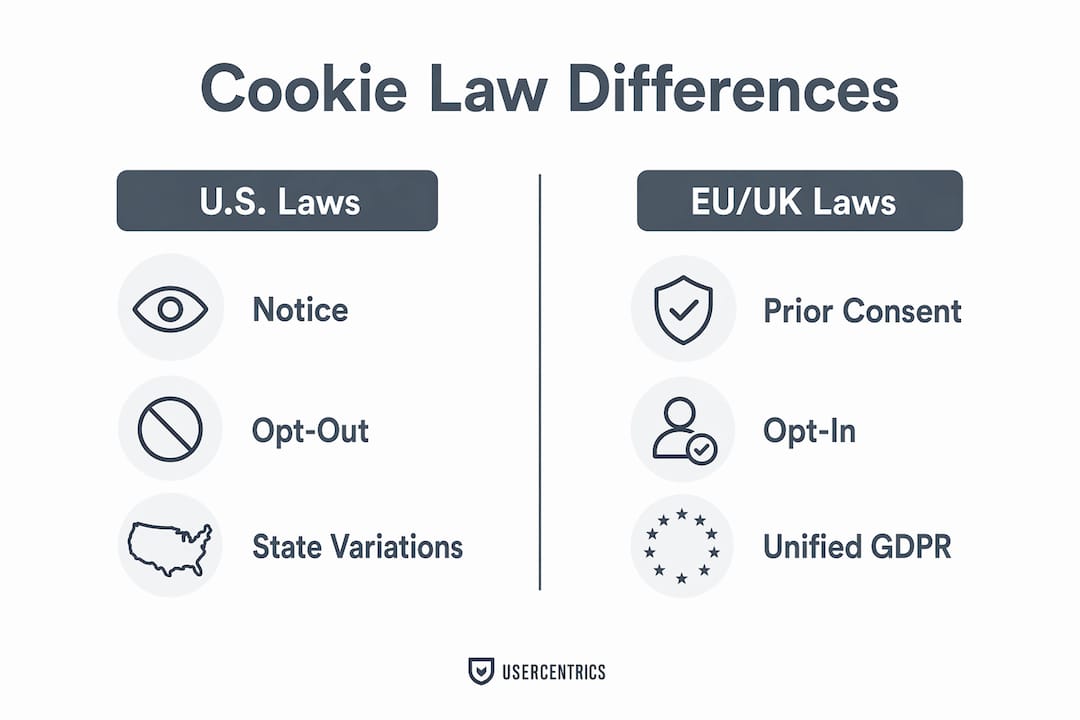
The most important practical difference: EU law requires that non-essential cookies not fire until the visitor actively accepts them. U.S. law, in most states, requires disclosure and an opt-out opportunity but does not prohibit cookies from loading before the visitor acts.
Consent versus notice: what to do based on where your users are
The distinction between opt-in consent and opt-out notice is not merely semantic. It determines whether your site may load a tracking script before the visitor interacts with a banner, and getting this wrong is one of the most common compliance failures regulators identify.

For EU and UK visitors, the rule is clear: block non-essential cookies until the visitor gives an unambiguous affirmative action. The ICO is explicit that continued browsing or a pre-ticked box does not constitute valid consent. A banner that loads analytics while asking for permission violates the law even if it looks compliant on the surface. Visitors must also be able to withdraw consent as easily as they gave it, and that withdrawal must take effect promptly.
For California residents where CCPA/CPRA applies, the obligation shifts to transparency and opt-out. The site may load cookies, but must clearly disclose data collection practices and provide a functional “Do Not Sell or Share My Personal Information” mechanism. For visitors in other U.S. states, the requirements vary, but a clear disclosure and opt-out mechanism covers most current state-law obligations.
The practical solution for sites with mixed traffic is geo-targeted consent management. A consent management platform (CMP) detects the visitor’s location and presents the appropriate experience: a full opt-in banner with accept/reject options for EU visitors, and an opt-out notice or link for U.S. visitors. This approach reduces friction for users who face less stringent requirements while maintaining the stricter standard where the law demands it.
Script blocking is the technical enforcement layer. A CMP that only records a preference without actually preventing non-consented scripts from firing provides no real protection. Consent logs, which record what the visitor was shown, what they chose, and when, are the operational evidence regulators look for during audits. Publishing a policy without blocking non-consented tags and without maintaining consent records is a common and costly gap.
What to include in your cookie policy: a practical checklist
Regulators do not prescribe a single mandatory format, but a dedicated cookie policy page is widely recognized as best practice because it is easier to update and easier for visitors to find. The following elements should appear in any compliant cookie policy.
- Cookie categories and names: List each category (strictly necessary, functional, analytics, marketing) and, where possible, name individual cookies. Sample: “We use the following categories of cookies on this site: strictly necessary, analytics, and marketing.”
- Purpose of each category: Explain in plain language what each cookie does. Sample: “Analytics cookies count how many people visit each page so we can identify which content is most useful.”
- Cookie duration: State whether cookies are session-based (deleted when the browser closes) or persistent, and specify the retention period for persistent cookies. Sample: “The _ga cookie persists for 13 months from the date it is set.”
- First-party vs third-party: Identify which cookies are set by your domain and which are set by third parties. Sample: “Third-party cookies on this site are set by Google Analytics and Meta Platforms.”
- Third-party recipients: Name the third parties and explain why they receive data. Sample: “Google Analytics receives anonymized usage data to generate aggregate traffic reports.”
- How to opt out or withdraw consent: Explain how visitors can change or withdraw their choices, whether through your consent tool, browser settings, or third-party opt-out pages. Sample: “You can change your cookie preferences at any time using the ‘Cookie Settings’ link in the footer.”
- Browser settings guidance: Note that most browsers allow users to block or delete cookies independently of your consent tool.
- Contact information: Provide a way for visitors to ask questions about your cookie practices. Sample: “For questions about our use of cookies, contact [email protected].”
- Last updated date: Keep this current. A policy dated three years ago signals neglect to both visitors and regulators.
Pro Tip: Link your cookie policy from the footer of every page, from the consent banner itself, and from your main privacy policy. Discoverability is part of compliance. A policy buried in a sitemap that no visitor can find provides little legal protection.
Privacy policy vs separate cookie policy: which structure fits your site?
No law mandates that cookie disclosures exist as a standalone document. Folding them into a general privacy policy is legally permissible, and for some sites it is the more practical choice. The decision depends on the complexity of your tracking setup, your audience, and how frequently your cookie inventory changes.
Arguments for a standalone cookie policy:
- Easier to update when you add or remove tracking tools, without touching the broader privacy policy.
- More discoverable for visitors who specifically want to understand your tracking practices.
- Cleaner for sites with EU visitors, where GDPR and ePrivacy require detailed, specific disclosures that can overwhelm a general privacy policy.
- Simpler to link from a consent banner, which typically has limited space for text.
Arguments for integrating cookies into the privacy policy:
- Fewer documents to maintain and fewer pages for visitors to navigate.
- Appropriate for small sites with minimal tracking, where a dedicated page would be disproportionate.
- Reduces the risk of inconsistencies between two separate documents.
Recommended approach by scenario:
- Small brochure site with no third-party trackers: A cookie section within the privacy policy is sufficient. Keep it specific and current.
- SMB with analytics and advertising tags: A standalone cookie policy is the more practical choice. The cookie inventory changes frequently enough that a dedicated page reduces maintenance friction.
- Multi-jurisdictional site with EU and U.S. traffic: A standalone cookie policy is strongly advisable. The level of detail required for EU compliance, including individual cookie names, durations, and third-party recipients, is difficult to present clearly within a general privacy policy.
Whichever structure you choose, link the two documents to each other. A visitor reading the privacy policy should be able to reach the cookie policy in one click, and vice versa. Inconsistencies between the two documents, such as a cookie named in the policy but not disclosed in the banner, are a common finding in regulatory audits.
How to add a cookie policy and implement consent on your site
Implementation follows a logical sequence. Skipping steps, particularly the scanning and script-blocking phases, is where most sites create compliance gaps.
- Run a cookie scan. Use an automated scanner to identify every cookie and tracker your site sets, including those loaded by third-party scripts you may not have added intentionally. Document the results.
- Classify each cookie. Map every identified cookie to a legal category: strictly necessary, functional, analytics, or marketing. Consult the cookie compliance checklist to verify your classifications against regulatory standards.
- Draft your cookie policy. Using the checklist in the previous section, write policy text that names each category, explains its purpose, states cookie durations, identifies third parties, and explains how visitors can manage their preferences.
- Configure a CMP and consent banner. Select a consent management platform that supports your jurisdictions. Configure geo-targeted banners: opt-in for EU/UK visitors, opt-out or notice for U.S. visitors. Ensure the banner presents genuine choices, with a reject option as prominent as the accept option.
- Implement script blocking. Configure the CMP to prevent non-essential scripts from loading until the visitor has given consent. If you use a tag manager such as Google Tag Manager, gate non-essential tags on the consent signal before they fire.
- Set up consent logging. Configure the CMP to record what each visitor was shown, what they chose, and when. These logs are the operational evidence of compliance.
- Test before and after launch. Check that non-essential cookies do not fire before consent on both desktop and mobile. Test consent withdrawal and verify that tags stop firing. Use browser developer tools or a network inspector to confirm. Test from a simulated EU location to verify that the opt-in banner appears correctly.
Timeline and cost estimates (indicative): A cookie scan and classification typically takes one to three hours for a small site. Drafting policy text adds another two to four hours. CMP configuration and testing can take a further two to eight hours depending on the platform and the complexity of the tag setup. For a site owner handling this without external help, the primary cost is time. Agency assistance for a full implementation typically ranges from a few hundred to several thousand dollars depending on site complexity, though costs vary widely and these figures are estimates only.
How a modern CMP enforces your policy in practice
Understanding what a consent management platform actually does, technically, clarifies why the tool matters as much as the policy text. Passiro is an IAB TCF v2.3 registered CMP (ID 499), which means it generates a standardized consent string that downstream vendors and ad systems can read and act on, rather than simply storing a local preference.
Key capabilities relevant to policy enforcement:
- IAB TCF v2.3 registration (ID 499): Consent signals are structured to the IAB standard, enabling interoperability with ad platforms and publisher systems that require a valid consent string.
- Google Consent Mode v2: Passiro integrates with Google Consent Mode v2, adjusting how Google tags behave based on the visitor’s consent choices, which affects measurement and advertising functionality in Google’s ecosystem.
- Automatic script blocking: Non-essential scripts are prevented from loading until the visitor consents. This is the technical enforcement layer that turns a written policy into an operational control.
- Daily-updated tracker database: Passiro’s scanner checks against a database of 4,900+ trackers sourced from EasyPrivacy and updated daily, reducing the risk that a newly added tracker goes undetected.
- Geo-targeted banners: The platform detects visitor location and presents the appropriate consent experience, opt-in for EU/UK visitors and opt-out or notice for U.S. visitors, without requiring manual configuration for each jurisdiction.
- Visual designer with 25 languages: Banner appearance and language can be configured without code, supporting multilingual sites and brand consistency.
- Free tier with unlimited domains and traffic: The free plan imposes no page limits or traffic caps, making it accessible for sites of any size.
Two genuine limitations are worth stating clearly. Passiro does not include Data Subject Access Request (DSAR) automation, so organizations that need to manage access, deletion, or portability requests at scale will require a separate tool for that workflow. Passiro also does not offer vendor risk management features, meaning it does not assess the privacy posture of the third-party vendors whose scripts it blocks.
Pro Tip: After configuring your CMP, open Google Tag Manager’s preview mode and verify that non-essential tags show a “paused” or “blocked” status before consent is given. If a tag fires before the consent trigger, the script-blocking configuration needs adjustment. This test takes five minutes and catches the most common implementation error.
What happens if you don’t disclose cookies or provide required controls?
Non-disclosure is not a theoretical risk. Regulators across multiple jurisdictions have demonstrated a willingness to pursue enforcement actions against websites that fail to meet cookie transparency and consent requirements.
Regulatory enforcement:
- The FTC has pursued companies for undisclosed or misrepresented data collection under its deceptive-practices authority, and online privacy disclosures are an active enforcement priority.
- State attorneys general, particularly California’s, have the authority to investigate and fine businesses that violate CCPA/CPRA transparency and opt-out requirements. Fines under CCPA can reach thousands of dollars per violation, with higher penalties for intentional breaches.
- EU supervisory authorities have issued substantial fines for consent failures, including cases where banners made rejection difficult or where tracking scripts loaded before consent was given. Regulators have specifically targeted dark-pattern banners that nudge acceptance or obscure the reject option.
Operational risks:
- Ad networks and platforms may restrict or suspend accounts if your site’s consent implementation does not meet their requirements, particularly for Google’s ecosystem where Consent Mode v2 compliance affects measurement and bidding.
- Privacy-first browsers and extensions increasingly block trackers by default, which can distort analytics data and reduce ad effectiveness for sites that have not implemented proper consent controls.
- Loss of visitor trust is difficult to quantify but real. Visitors who discover undisclosed tracking, whether through a browser extension or a news report, are unlikely to return.
Rapid remediation steps if you are currently non-compliant:
- Run a cookie scan immediately to establish what is present on your site.
- Publish a cookie policy, even a basic one, within days. A good-faith disclosure reduces regulatory exposure.
- Implement script blocking for non-essential cookies as soon as a CMP is configured.
- Document the remediation steps and dates. Regulators consider documented good-faith efforts when assessing penalties.
Key Takeaways
Any website that sets non-essential cookies must publish a cookie policy and implement appropriate consent or opt-out controls, with the specific requirements determined by where visitors are located.
| Point | Details |
|---|---|
| Policy is effectively required | Any site using analytics, ads, or third-party trackers needs cookie disclosures and controls. |
| U.S. vs EU consent model | U.S. law generally requires notice and opt-out; EU law requires prior opt-in before non-essential cookies fire. |
| First step: scan your site | Run a cookie scan to identify every tracker before drafting policy text or configuring a banner. |
| Script blocking is mandatory | Publishing a policy without blocking non-consented tags leaves the compliance gap open. |
| Passiro as a CMP option | Passiro is an IAB TCF v2.3 registered CMP (ID 499) with a free tier, automatic script blocking, and geo-targeted banners. |
The part most site owners get wrong
The most common mistake is treating a cookie policy as a document problem rather than a technical one. Site owners spend time writing policy text, publish it in the footer, and consider the matter resolved. Meanwhile, Google Analytics fires on page load, the Meta pixel loads before any visitor interaction, and the consent banner, if there is one, records a preference without actually blocking anything.
The policy text matters. But the script-blocking configuration is what determines whether the site is actually operating within the law for EU visitors. A banner that asks for consent while simultaneously loading the scripts it is supposed to gate is not a compliance tool. It is a liability dressed as one.
Small site owners often resist implementing a full CMP because they assume it requires technical expertise or significant cost. Neither is true anymore. The more defensible position, for any site with non-trivial traffic, is to run a scan, publish a specific policy, configure a CMP that actually blocks scripts, and keep consent logs. That sequence takes a few hours for a straightforward site and creates a documented record that demonstrates good-faith compliance. Regulators consistently treat documented effort more favorably than no effort at all.
The other underestimated risk is the state-law patchwork in the U.S. CCPA/CPRA gets most of the attention, but Virginia, Colorado, Connecticut, Texas, and other states have enacted their own privacy statutes with their own thresholds and requirements. The direction is clear: cookie disclosure obligations in the U.S. are expanding, not contracting. Building a compliant foundation now is considerably less expensive than retrofitting one after a regulatory inquiry.
Cookie consent without the complexity or the monthly invoice
Passiro was built specifically for site owners who need a technically sound consent management platform without enterprise pricing. As an IAB TCF v2.3 registered CMP (ID 499) with Google Consent Mode v2 integration, Passiro generates a valid consent string that ad platforms and publisher systems can act on, not just a banner that stores a local preference. Automatic script blocking prevents non-essential tags from firing before consent is given. The daily-updated tracker database of 4,900+ items from EasyPrivacy means newly added trackers are identified quickly. Geo-targeted banners present the appropriate experience to EU and U.S. visitors without manual jurisdiction configuration.
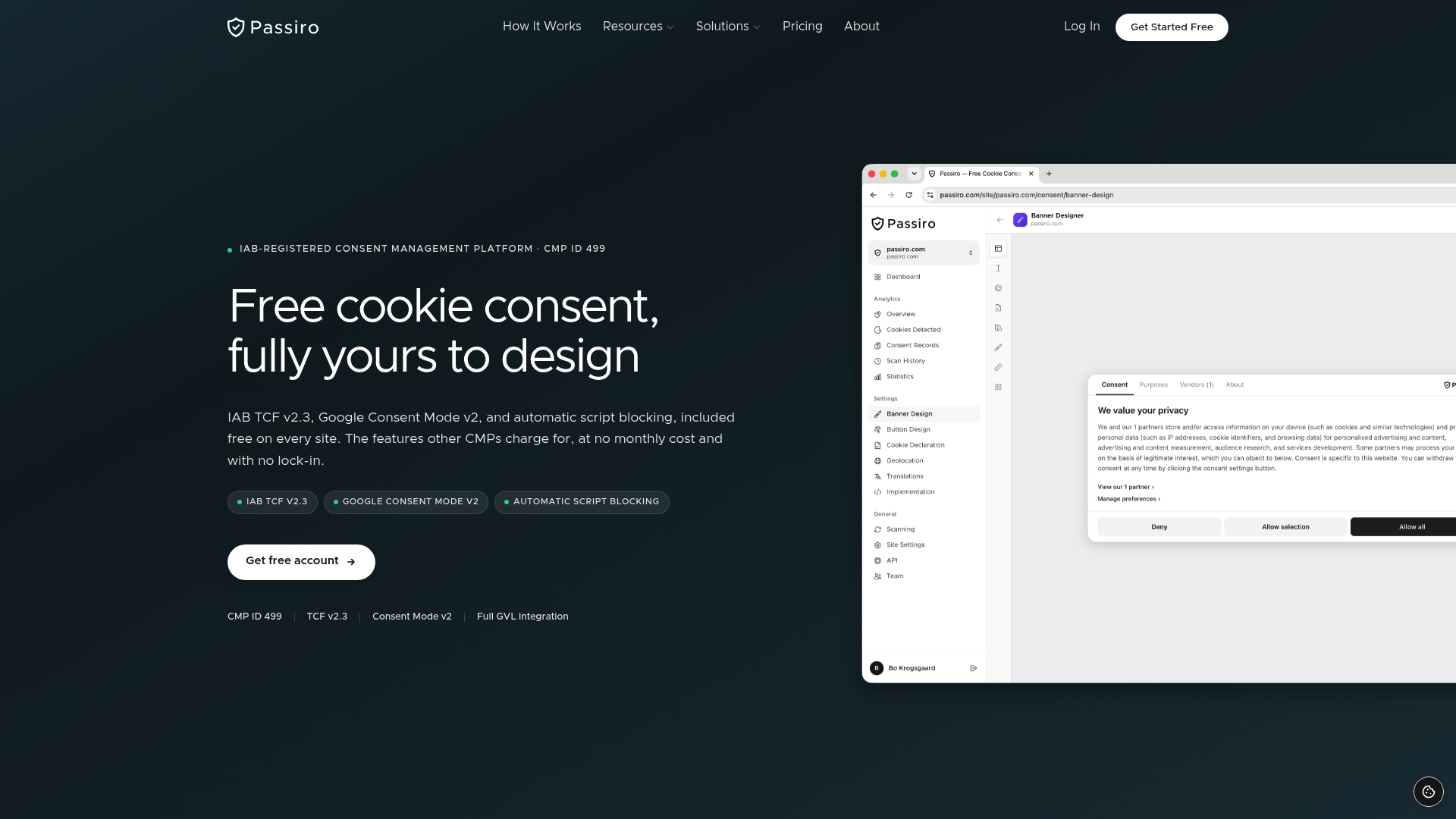
Two limitations to state plainly: Passiro does not include DSAR automation, and it does not offer vendor risk management features. For organizations that need those capabilities, a separate tool is required. For site owners who need compliant cookie consent across unlimited domains with no traffic caps, the free tier covers the full technical requirement. Paid plans add consent analytics, white-label branding, and API access.
If you use WordPress, the Passiro WordPress plugin installs in minutes. For Wix, Squarespace, or Webflow sites, the site-builder integration requires no code. Start with a free account at passiro.com and run your first cookie scan today.
This article provides general information about cookie policy requirements and is not legal advice. Cookie and privacy laws vary by jurisdiction and change frequently. Consult a qualified legal professional or your relevant regulatory authority for guidance specific to your situation.
Authoritative sources and official guidance
The following primary sources and regulatory references provide the legal text and official guidance that underpin this article.
Regulatory primary sources:
- California Attorney General — CCPA resources: Official guidance on CCPA/CPRA transparency requirements, consumer rights, and enforcement priorities. This is the primary source for California-specific obligations.
- FTC — Privacy and Security: Federal Trade Commission guidance on unfair or deceptive data practices applicable to all U.S. websites.
- ICO — Cookies and similar technologies: UK Information Commissioner’s Office guidance on PECR and UK GDPR consent requirements. Relevant for sites with UK visitors.
- Autoriteit Persoonsgegevens — Cookie banners: Dutch data protection authority guidance on compliant and non-compliant banner patterns, with practical examples of dark patterns regulators target.
Implementation and practical references:
- Wilson Elser — U.S. website compliance for cookies: Legal practitioner analysis of U.S. compliance workflows for cookies and tracking technologies.
- Passiro — Cookie compliance overview: Implementation guidance, regulatory summaries, and CMP feature documentation.
- Passiro — Cookie regulations reference: Summary of GDPR, ePrivacy, CCPA, LGPD, and other major privacy regimes and their cookie-handling requirements.
- Passiro — Cookie compliance checklist: A 25-point verification checklist for pre- and post-launch banner and policy review.
Recommended
- Cookie Compliance – Your Complete Guide to Cookie Consent and Privacy Regulations | Passiro
- Cookie Disclaimer: A 2026 Compliance Guide for Website Owners | Passiro
- Cookie Regulations – GDPR, ePrivacy, CCPA, and Global Privacy Laws | Passiro
- Cookie Compliance Checklist – 25-Point Verification for Your Website | Passiro
Get compliant cookie consent — free
Passiro gives you a compliant cookie banner with IAB TCF v2.3 and Google Consent Mode v2, free on every site.