


Complete your pre-launch consent check
Use this checklist before publishing a new consent setup.
1. Check the installation
Before launch, confirm that the intended Passiro script loads once, early enough, on every relevant page type.
2. Review the configuration
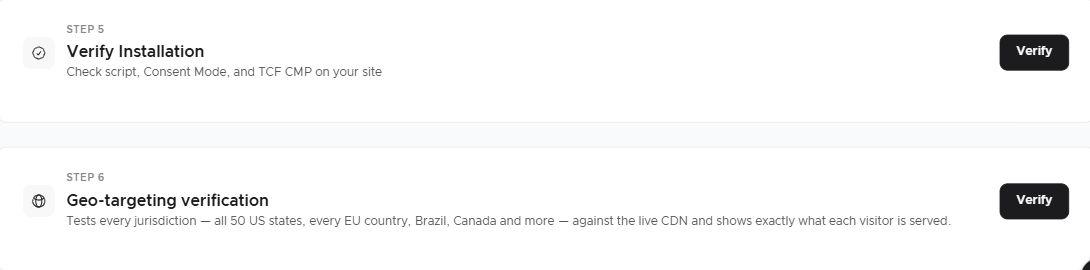
Check Allowed Domains, regional rules, banner text, policy links and the cookie declaration. Run Verify Installation and Test your geo-targeting. See Test and troubleshoot geo-targeting.
If a banner uses the IAB TCF – Classic template, check that it appears in the regions you intend and lists the vendors and purposes you expect.
3. Test every choice
Use separate fresh sessions to test no choice, rejection, partial acceptance and acceptance of all optional categories. Reopen the settings, withdraw optional consent and test again after reloading.
4. Test return visits and devices
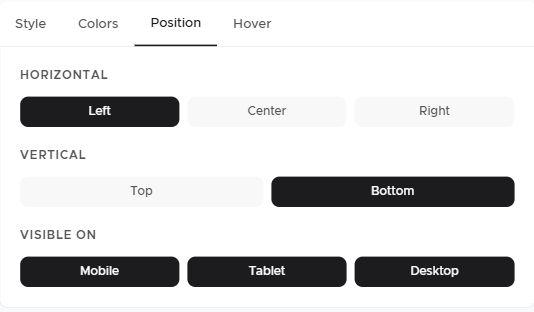
Check a return visit, mobile layouts, keyboard navigation and embedded services. See Check your banner on mobile and with a keyboard, and for which banners have Passiro’s accessible version, WCAG 2.2 AA and your Passiro cookie banner.
5. Record the results
Record the browser, test time, region and result. Publish only when observed requests and storage match the intended choices; keep unresolved failures in your release checklist.
A completed checklist or a high acceptance rate does not prove that your website as a whole meets legal or accessibility requirements.
If you plan a banner A/B test, preview and test both versions and keep the consent behavior identical. A test is not required before you launch your website; see Create your first cookie banner A/B test.
Technical guides
Screenshots are edited, anonymized examples. Use your own website, banner and Passiro script.