


EU vs California cookie consent: opt-in, opt-out and GPC
One website can serve a customer in Copenhagen and another in California within seconds. The same business may need different privacy controls for those two visits.
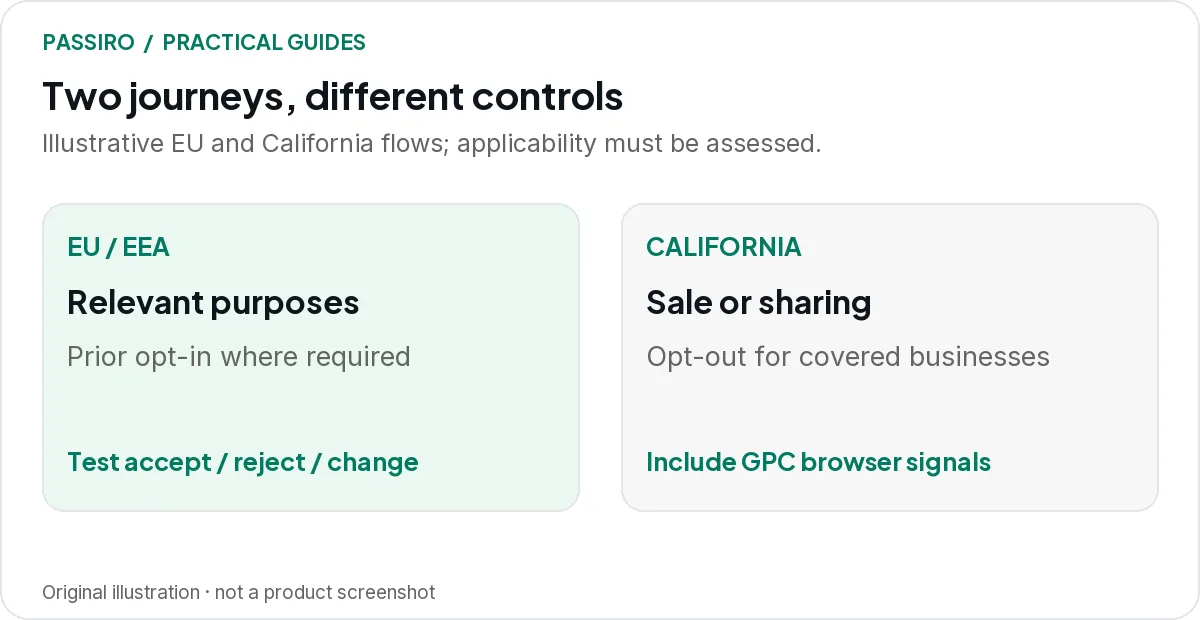
In the EU, many tracking uses start with prior opt-in consent. Under California’s CCPA, a covered business has to offer opt-outs from the sale or sharing of personal information and honour opt-out signals such as Global Privacy Control (GPC). These are different mechanisms, and neither summary covers every exemption or sector.
This article compares the two journeys and how to deliver them on one website. It does not cover other US states; if you serve visitors there, use the state guides linked further down.
The two journeys side by side
| Topic | EU | California (CCPA) |
|---|---|---|
| Relevant scope | EUStoring or reading information on a device under national ePrivacy rules, plus the GDPR for personal data | California (CCPA)For-profit businesses that do business in California and meet a CCPA threshold |
| Type of choice | EUOpt-in consent for non-essential purposes | California (CCPA)Opt-out of the sale or sharing of personal information |
| First visit | EUOptional tools wait for the visitor’s choice | California (CCPA)Notice at collection; prior opt-in only in specific cases, such as known under-16s |
| Opt-out or consent | EUConsent per purpose; withdrawing must be as easy as giving it | California (CCPA)A “Do Not Sell or Share” link or a permitted alternative that stops the processing |
| GPC | EUNot the basis of the EU journey; the choice in your banner decides | California (CCPA)A valid opt-out of sale or sharing that covered businesses must honour |
Start with three questions
- Where are the people you serve, target or monitor?
- What information do your website and partners collect, and for which purposes?
- Which laws and platform policies apply to your business and those activities?
Being a US company does not by itself remove European obligations, and one Californian visit does not by itself establish every CCPA duty. Applicability depends on more than an IP address. Review the starting point with your adviser, using the GDPR’s territorial-scope provisions and the California Attorney General’s CCPA guidance.
The CCPA applies to for-profit businesses that do business in California and meet at least one threshold: annual gross revenue above $26,625,000 in the preceding calendar year, buying, selling or sharing the personal information of 100,000 or more consumers or households a year, or earning 50% or more of annual revenue from selling or sharing personal information. The revenue figure is the California Privacy Protection Agency’s inflation-adjusted amount in force since 1 January 2025.
Exemptions and the legal meaning of “sale” and “sharing” still need a closer look. Ordinary analytics, advertising and service-provider arrangements are not all treated the same way.
The European journey: a choice before relevant tracking
Consider an illustrative furniture shop using optional analytics and remarketing. A European visitor arrives with no saved consent. The site presents the relevant choices and controls the tools according to the selected setup.
The visitor allows analytics but refuses advertising. The implementation has to preserve that distinction. A single “accepted” label that starts every vendor is not enough.
European cookie rules come from the ePrivacy Directive as implemented in each country, so exemptions differ. Avoid copying a country-specific analytics exemption into every market. The EDPB consent guidelines set out the GDPR consent standard, including that withdrawing consent must be as easy as giving it; local rules still need attention.
The California journey: make the opt-out work
Now imagine a covered business whose advertising practices involve sale or sharing as defined by the CCPA. A visitor uses the site’s opt-out mechanism. The relevant downstream processing needs to respond; displaying a “Do Not Sell or Share” link alone is not the result.
The CCPA regulations require a “Do Not Sell or Share My Personal Information” link in the header or footer, or a permitted alternative such as a “Your Privacy Choices” link. Selling or sharing the data of consumers the business knows are under 16 needs opt-in authorisation instead.
Test the browser, tag manager and server-side destinations involved in that activity. Keep ordinary service functions separate from the advertising use so your team can explain what the choice changes.
The visitor who has already signalled a preference
Global Privacy Control, or GPC, lets a browser send an opt-out preference to every site the visitor uses. California’s Attorney General says covered businesses must honour it as a valid request to stop sale or sharing. See the official GPC explanation.
The CCPA regulations add detail: the opt-out applies to that browser or device and any profile linked to it, including pseudonymous profiles. The business must also display on its website whether it has processed the signal as a valid opt-out.
For your technical test, use a browser with GPC enabled and compare the behaviour with a session without the signal. The signal arrives as the Sec-GPC: 1 request header and the navigator.globalPrivacyControl property, so it does not depend on a button on your page. Our GPC guide covers conflicts with earlier choices.
What geo-targeting can and cannot decide
Geo-targeting selects a banner or configuration based on an estimated location. It is not an automatic legal assessment: it cannot decide whether a law applies to your business, identify every sensitive use or guarantee that the location is correct, for example when a visitor uses a VPN.
Decide what happens when the location is unknown, and test that fallback as well as the regions you expect to serve. Do not silently treat an unknown location as permission for unrestricted tracking.
In Passiro, Smart geo-targeting has a separate Unknown location setting. With Same banner everywhere, Passiro shows consent when the country cannot be determined, but visitors outside the selected countries are not prompted and scripts load normally, so check that selection carefully.
Keep language separate from location. A Spanish-speaking visitor in Los Angeles and another in Madrid may want the same banner language but need different choices. Banner language follows your translation setting or the browser language; it does not decide which rules apply.
If you also serve other US states
This article covers California only. Other state privacy laws use their own thresholds, definitions and rules for sensitive data and opt-out signals, so check them before copying the California setup. Start with our guides to Virginia’s CDPA, Colorado’s CPA and Utah’s UCPA, plus the GPC guide and the full CCPA guide.
In Passiro’s Smart geo-targeting, the US opt-out states region includes an option to choose individual states. Decide which states your business needs to cover before you rely on that setting.
A practical brief for your developer
Write one short rule per visitor journey: expected banner, initial consent state, supported choices, affected vendors and expected behaviour after a change. Add a separate test for GPC where relevant, and one for the unknown-location fallback.
For Google tags, specify Basic or Advanced Consent Mode rather than asking vaguely for “EU tracking”. Follow the Consent Mode guide for marketers and the Reject all test to check the implementation.
Passiro includes geo-targeting and Global Privacy Control handling on every plan, including Free. IAB GPP starts with Pro. The plan overview shows the difference; GPC and GPP are not interchangeable.
Three quick questions
Can I use one conservative setup everywhere?
You can choose a consistent experience, but check that it also provides the specific notices, opt-outs and other rights required where you operate. A universal banner is not a universal legal assessment.
Does a California visitor need to see a cookie banner?
Not in the EU sense. The CCPA is built around notice and opt-out rather than prior consent for most sale or sharing. A covered business still needs a working opt-out route, whether that is a banner, a settings link or both, and the choice has to change the processing.
Does a US business need Consent Mode for European campaigns?
Check the users and Google services covered by Google’s EU User Consent Policy; your company’s address is not the only factor. Our guide to the policy explains what to check.