
Set up smart geo-targeting
Configure different consent experiences for visitors in different regions.
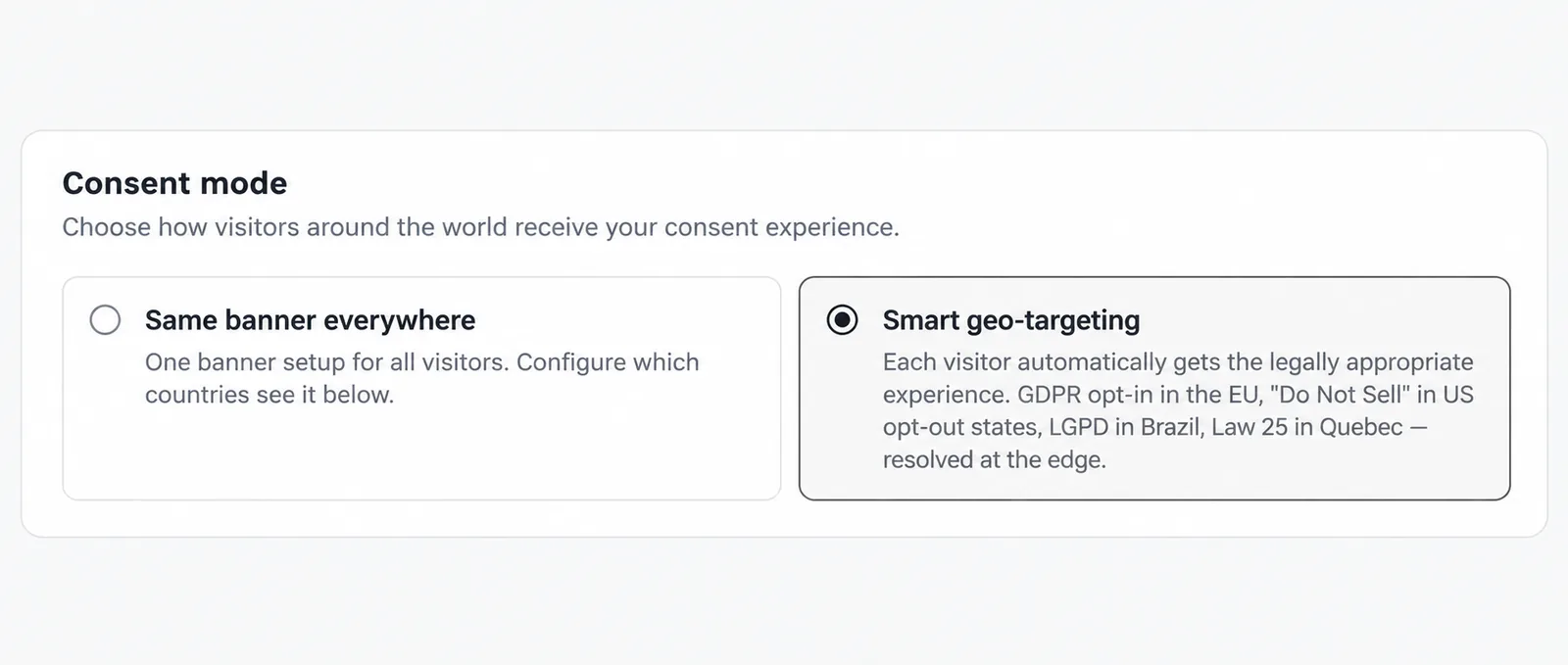
1. Choose Smart geo-targeting
Go to Geolocation and select Smart geo-targeting.
2. Review each region
Under Consent regimes, review the regional rows. Check the behavior shown for each region and select the banner template you want to use, or keep Inherit default template. US opt-out states also has an Advanced: choose states option.
3. Set the fallback
Review Rest of world and Unknown location. Unknown location controls the experience when Passiro cannot determine where a visitor is located.
4. Save before previewing
Click Save Changes. Under Preview as visitor from, select a country and click Preview. The preview uses saved settings, so unsaved changes are not reflected.
The labels describe different product behaviors, including opt-in, notice and opt-out experiences. Choose the configuration appropriate for your website, then test each region you serve.
Screenshots are edited, anonymized examples. Use your own website, banner and Passiro script.