


Customize your cookie declaration
Style the list of detected cookies that visitors can read on your website.
1. Set the style
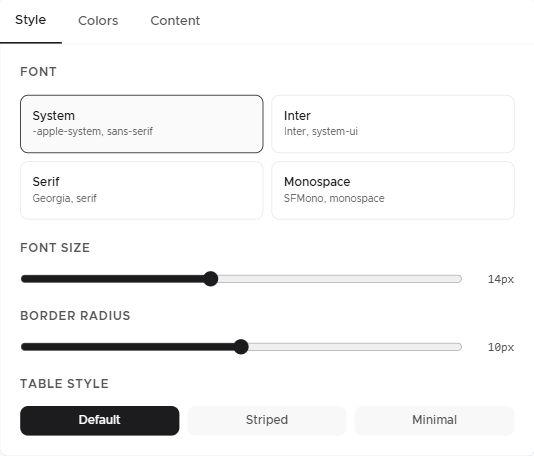
Open Cookie Declaration. Use Style to choose font, size, border radius and table appearance.
2. Adjust colors and content
Use Colors for appearance and Content for the available summary and description options. Review the preview and save your changes. Some branding controls depend on the plan. Review those requirements in the interface.
3. Check the published result
Open View Live Page, or your embedded declaration, to check the published result. To place the declaration on your own page, follow Add a cookie declaration to your website.
4. Check counts against the data
The declaration depends on cookie data as well as design settings. If a count does not match the visible categories, inspect unknown or hidden entries and the latest scan rather than assuming a styling problem. See Troubleshoot an empty or missing cookie declaration.
Screenshots are edited, anonymized examples. Use your own website, banner and Passiro script.