


Google Consent Mode v2: 8 things marketers need to understand
Using Google Ads or GA4? Your consent setup affects what gets measured, which audiences you can build and how you interpret campaign results.
Google Consent Mode v2 communicates consent choices to supported Google tags and adjusts how they use storage and data. It is not the banner itself, and it does not turn a rejected visit into permission for personalized advertising.
For a marketer, the job is to agree the intended behavior, check that it is implemented and understand what the resulting reports can tell you. Here are eight points to take into your next conversation with an agency or developer.
This is the short marketing overview. Our Google Consent Mode guide covers the signals and technical setup, and our guide to Google’s EU User Consent Policy covers Google’s consent and disclosure requirements.
1. The banner and Consent Mode have different jobs
The banner presents the choice. Your consent setup records and communicates it. Google tags respond to the signals. If one part is missing, a good-looking banner can sit above a measurement setup that behaves differently.
Google’s implementation guide explains how defaults and updates connect these steps. Ask your implementation partner to show you the state before interaction and after each choice.
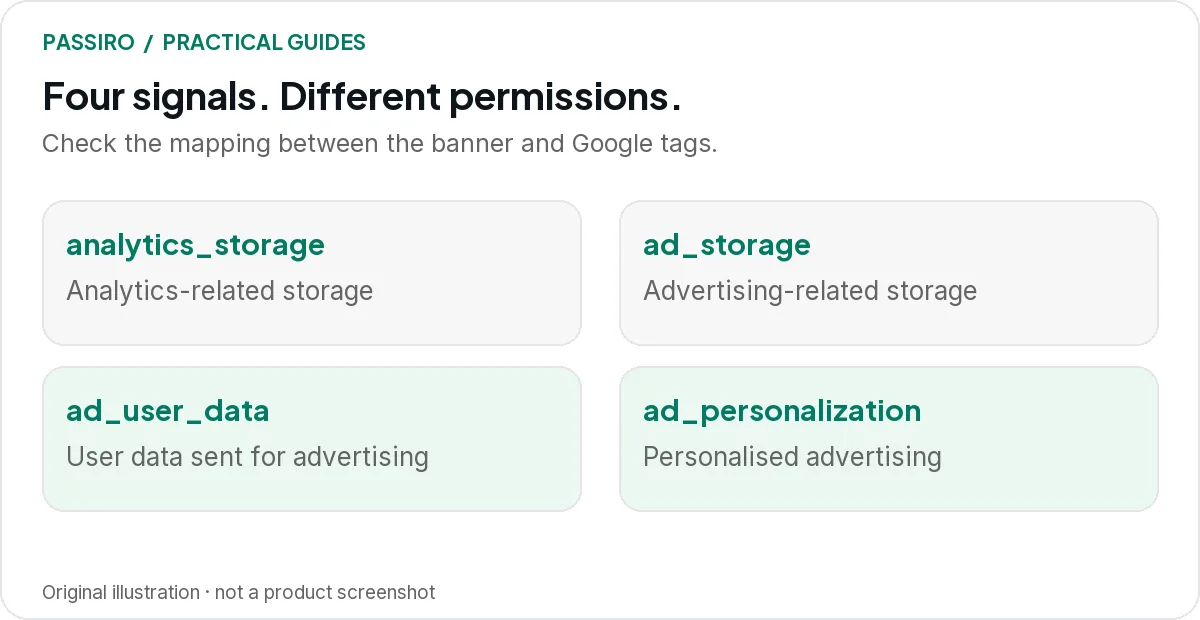
2. There are four key signals to check
Each signal is a separate permission that your consent setup sets to granted or denied. Google’s consent mode reference describes what each one controls.
| Signal | What it covers | When it is denied |
|---|---|---|
| ad_storage | What it coversAdvertising-related storage, such as Google Ads cookies. | When it is deniedGoogle Ads tags do not use advertising cookies, so fewer conversions can be observed directly. |
| analytics_storage | What it coversAnalytics-related storage, such as GA4 cookies for visit duration. | When it is deniedGA4 does not use analytics cookies for that visitor. |
| ad_user_data | What it coversSending user data related to advertising to Google. | When it is deniedPersonal data is not used for online advertising, which affects features such as enhanced conversions. |
| ad_personalization | What it coversPersonalized advertising, including remarketing. | When it is deniedPersonalized advertising is disabled, and remarketing does not receive data from the visit. |
ad_user_data and ad_personalization were added with v2. Do not treat “the visitor accepted something” as granting every signal. Map each signal to the actual choices and disclosures on your website.
3. Basic and Advanced differ before consent
In Basic mode, Google tags stay blocked until the relevant consent is granted, and nothing is sent to Google through them before that, not even the consent state. In Advanced mode, tags load with denied defaults and send the consent state and cookieless measurements while consent is denied. Google’s overview sets out the distinction.
That is a data-handling decision, not just an analytics setting, and “cookieless” does not mean anonymous. Agree which approach fits your requirements before anyone switches it on. Our Basic vs Advanced guide compares the two side by side, with a worked reporting example.
4. Modeled conversions are estimates
Google can use modeling to estimate conversions it cannot observe directly when consent is denied. Availability depends on implementation, data volume and eligibility. It is not a promise to recover every missing sale.
In Google Ads, the Conversions column shows observed and modeled conversions together, and both feed bidding. Google’s explanation of modeled conversions is worth sharing with anyone who reports campaign results. Keep a business transaction, an observed conversion and an estimate clearly apart.
5. A reporting change is not automatically a sales change
Illustrative example: your shop records 100 paid orders, but Google Ads attributes 62 conversions. Those figures answer different questions. Some orders may come from other channels, some may sit outside the selected attribution window, and some may not be observable with the available consent signals.
Start with the order system when checking sales. Then investigate attribution and measurement coverage. Do not cut a campaign just because a cookie-banner release changed the number in one report.
6. Remarketing needs its own attention
Measurement and personalized advertising are different purposes. A visitor who allows analytics has not agreed to join a personalized advertising audience: that depends on ad_personalization, and when it is denied, Google Ads remarketing does not receive data from the visit.
Review your audience setup alongside the banner and tag configuration. Google’s EU User Consent Policy sets consent requirements for relevant Google products used with visitors in the EEA, the UK and Switzerland. A US-based advertiser can still have visitors in those locations.
7. A green implementation status is not proof of modeling
Google Ads shows one status when Consent Mode is implemented and another when modeling is also active. Its verification guidance currently gives a threshold for conversion modeling of 700 ad clicks over seven days for each domain and country grouping.
The status can take 48 hours to appear, occasionally up to two weeks, and reaching the threshold does not guarantee a particular uplift. Smaller advertisers should avoid building forecasts around data they are not yet eligible to receive.
8. Test the conversion journey, not only the landing page
Check accept, reject, analytics-only and withdrawal. Include mobile traffic and the actual form or checkout. Make sure the conversion fires once and carries the right business value.
Ask for a short handover: selected mode, signal mapping, pages tested, known limitations and the owner of future changes. Our Reject all test shows how to check each choice, and our troubleshooting guide helps when reported conversions change after a release.
Two quick questions
Is Consent Mode v2 the same as IAB TCF?
No. Consent Mode passes consent states to Google tags. IAB TCF is an industry framework that records choices for participating advertising vendors, used mainly by publishers and their advertising partners. If TCF applies to you, check which version your setup uses: our TCF v2.3 vs v2.4 comparison explains the difference.
Does Consent Mode support mean a Google-certified CMP?
No. Consent Mode support, TCF support and Google CMP certification are separate things. Google requires publishers using AdSense, Ad Manager or AdMob to serve personalized ads in the EEA, the UK and Switzerland to use a Google-certified CMP integrated with the TCF. Check that requirement separately from your Google Ads measurement setup.