


Troubleshoot banner changes that are not visible
Use these checks when your website still shows an older design or text.
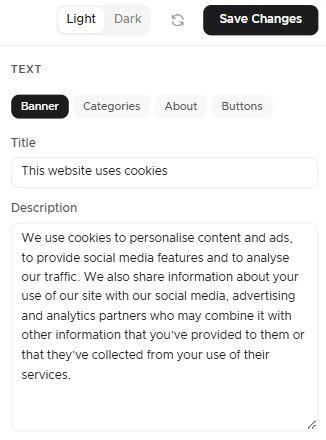
1. Check the banner you edited
Confirm that you edited and saved the intended banner for the correct site. Translations have a separate Save overrides control.
2. Check region and language
Check whether the visitor matches another regional banner or language override.
3. Preview the saved settings
Use the saved-settings preview after Save Changes: Preview as visitor from in Geolocation shows your saved settings, not unsaved edits.
A correct preview does not prove that your website has loaded the published update: saved settings and the published result can differ while an update is being applied or if publishing fails. To compare them for location rules, follow Test and troubleshoot geo-targeting.
An A/B test draft is not live. While a test is running, each browser keeps seeing the version it was assigned, A or B, so use the previews to check both versions and a test environment for repeated fresh sessions. Clearing storage in your own test browser is different from clearing consent for your visitors, which you should not do. Changes that affect a running test are blocked until you end it, and after ending with B selected, check that publication succeeded before you expect B. See End or troubleshoot a banner A/B test.
4. Check the live page and caches
Open the published page and inspect whether it uses the expected site script. Clear relevant CMS or CDN page caches and reload in a fresh browser session. Check for duplicate or old scripts and optimizer settings that serve an earlier implementation.
Some changes come from Passiro releases rather than your settings. The TCF 2.4 update reaches existing banners that use IAB TCF – Classic automatically, without a second script or a new template. The accessible banner version is not added to older domains that do not use TCF, also not when you publish again, so clearing caches does not change which version a domain uses. See TCF 2.3 vs TCF 2.4: what changes for your banner? and WCAG 2.2 AA and your Passiro cookie banner.
5. Compare and report
Compare the editor with the live page only after these checks. If the saved configuration still does not appear, record the banner, region, language and test time for support.
Technical guides
Screenshots are edited, anonymized examples. Use your own website, banner and Passiro script.