


Basic vs Advanced Consent Mode: a practical guide
“Switch on Consent Mode” leaves an important decision unanswered: what should Google tags do before a visitor gives permission?
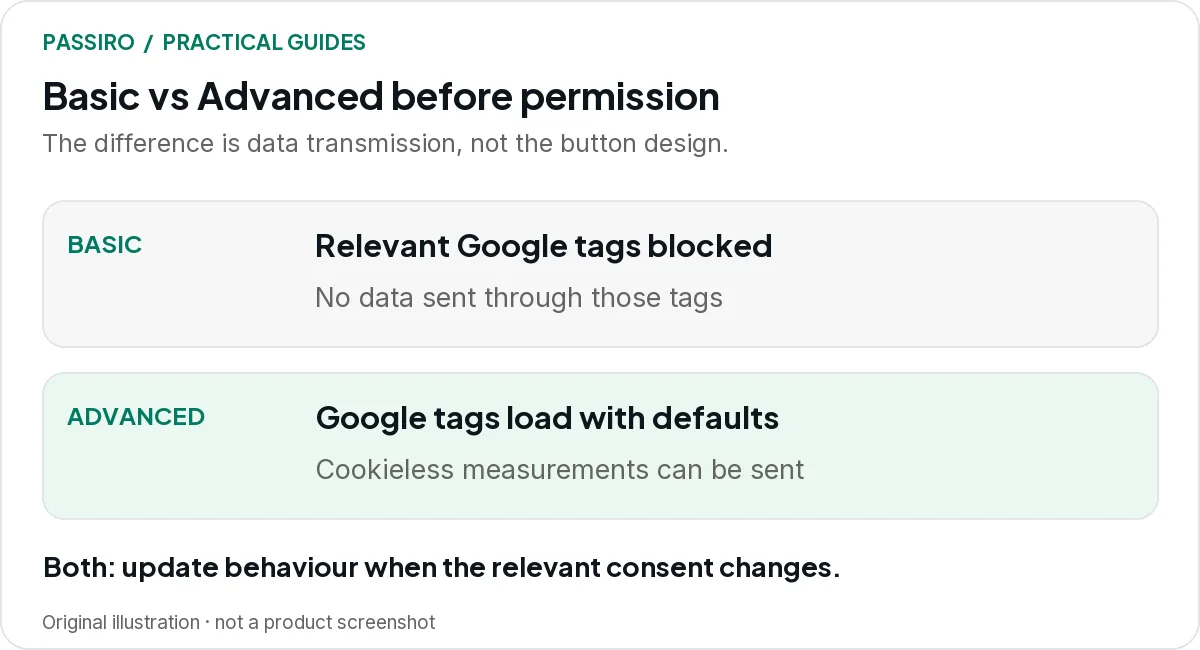
Basic Consent Mode blocks Google tags until the relevant consent is granted. Advanced Consent Mode loads them with consent defaults and can send cookieless measurements while consent is denied. Both need a correct default and an update when the visitor chooses.
The choice should follow your website’s requirements and data-handling decisions. A larger reporting number is not a sufficient reason to change it.
Basic and Advanced side by side
The table follows Google’s Consent Mode overview. The modelling prerequisites are explained further down.
| What differs | Basic | Advanced |
|---|---|---|
| Tag loading before consent | BasicGoogle tags are blocked until the visitor interacts with the banner. | AdvancedGoogle tags load straight away, with defaults set to denied unless configured otherwise. |
| Behaviour on rejection | BasicTags stay blocked. | AdvancedTags stay loaded in a denied state and do not write cookies. |
| Data sent while consent is denied | BasicNone through those tags, not even the consent state. | AdvancedThe consent state and measurements without cookies (cookieless pings). |
| Update when the visitor chooses | BasicTags load and apply the consent state only if consent is granted. | AdvancedTags adjust to the choice; cookies and full measurement only when granted. |
| Modelling prerequisites | BasicEligible Google Ads accounts get a general model; no GA4 behavioural modelling. | AdvancedEligible Google Ads accounts get an advertiser-specific model; GA4 modelling if its thresholds are met. |
Neither mode collects consent for you. And “cookieless” does not mean anonymous: in Advanced, Google tags still send information to Google while consent is denied.
Follow one visitor through each setup
Imagine a fictional retailer advertising to European shoppers. A visitor clicks an ad, lands on a product page and rejects optional cookies. Later in that visit, they place an order.
In the Basic setup, the relevant Google tags stay blocked, so the rejected visitor’s activity is not sent to Google through those tags. The retailer’s order system still records the sale as part of fulfilling the purchase.
In the Advanced setup, Google tags load with denied defaults and send cookieless measurements. That is still data transmission: Google’s Analytics Help says such pings can include a timestamp, user agent and referrer. Do not describe it as “nothing is collected” or assume that the absence of cookies settles every legal question.
Whichever mode you choose, make sure the implementation and the information you give visitors describe the same behaviour.
A reporting example without a recovery promise
The numbers in this example are illustrative, not a forecast or a Passiro customer result. Suppose the same retailer has 100 paid orders in a week, and Google Ads shows 60 conversions attributed from observed data.
It would be tempting to call the difference “40 conversions Consent Mode will recover”. That skips several questions. Were all orders driven by the advertising being reported? Are dates, attribution windows and conversion definitions aligned? Were refunds and duplicate events handled consistently?
Now suppose the account is eligible and Google Ads adds 12 modelled conversions. Google reports observed and modelled conversions together in the Conversions column, so that column now shows 72. Adding another 12 on top would count the estimate twice.
| Measure | Example figure | What it tells you |
|---|---|---|
| Paid orders in the order system | Example figure100 | What it tells youThe actual business result. |
| Attributed conversions (observed) | Example figure60 | What it tells youConversions Google Ads could link to ads from observed data. |
| Modelled contribution | Example figure12 | What it tells youGoogle’s estimate of conversions it could not observe. |
| Conversions column in Google Ads | Example figure72 | What it tells youObserved plus modelled; the estimate is already included. |
The business still has 100 paid orders. Modelling changes an estimate in an advertising system, and that estimate feeds bidding; it does not create 12 new purchases.
What matters for a smaller advertiser
Implementation and modelling are separate checks. Google Ads shows whether Consent Mode is implemented and whether modelling is active in its consent-mode diagnostics, and currently gives a threshold of 700 ad clicks over seven days for each domain and country grouping.
GA4 behavioural modelling is a separate feature with its own prerequisites: an Advanced implementation on all pages and minimum daily volumes of events and users. Google notes that meeting them does not guarantee eligibility.
If your site is small, a sensible first win is a correct, documented setup. Plan campaign reporting around the evidence available now, and revisit modelling when the account data supports it.
Choose the mode with a short decision brief
Before changing anything, have marketing and the implementation owner answer four questions:
- Are any Google requests allowed before the visitor grants the relevant consent under our agreed setup?
- Which disclosures, regional rules and internal policies govern that decision?
- Which modelling feature are we expecting to use, and have we checked eligibility?
- How will we prove that both rejection and later updates behave correctly?
Write down the chosen mode and the reasoning, so nobody changes the behaviour later because a generic tutorial recommended a different setting. For Google’s own consent and disclosure requirements, see our guide to Google’s EU User Consent Policy.
Then test the implementation order
Defaults and updates need to reach the relevant tags at the right time. A tag that runs before the intended consent state is established cannot be judged only by the state shown later.
For Tag Manager implementations, Google’s consent-template APIs support setting default consent and updating it. Ask your developer to verify the sequence rather than adding a second custom consent script without understanding the first one.
Check a fresh visit, rejection, category-specific acceptance and withdrawal. Include the conversion page. Use the practical cookie-banner test for the full journey, then record the release in your reporting notes.
In Passiro, you choose Basic or Advanced in the Google Consent Mode settings under Implementation. Our Support Center explains how to configure Google Consent Mode and verify it with Tag Assistant.
Two quick questions
Is Advanced always the better choice?
No. It gives Google more measurement input, but it sends data in circumstances where Basic keeps the relevant tags blocked. Choose it only after assessing the intended processing and the requirements that apply to your visitors.
Can we switch modes later?
Yes, but treat the switch as a release. It changes what Google receives before consent, so record the date, retest the journeys and annotate your reports so the change is not mistaken for a shift in campaign performance.