
Customize your cookie declaration
Style the list of detected cookies that visitors can read on your website.
1. Open Cookie Declaration
Select Cookie Declaration in the sidebar. Review the preview grouped by cookie category.
2. Adjust the design
Use Style to choose a font, font size, border radius and table style. Use Colors to match the declaration to your website.
3. Choose visible content
Open Content to control summary statistics, cookie descriptions and the Passiro attribution option shown in your account.
4. Save and review
Click Save Changes. Use View Live Page to check the hosted declaration. To place the declaration on your own page, follow Add a cookie declaration to your website.
The declaration uses scan results. If the list is outdated, run a new scan and review Cookies Detected. Changing the declaration's appearance does not change which cookies your website uses.
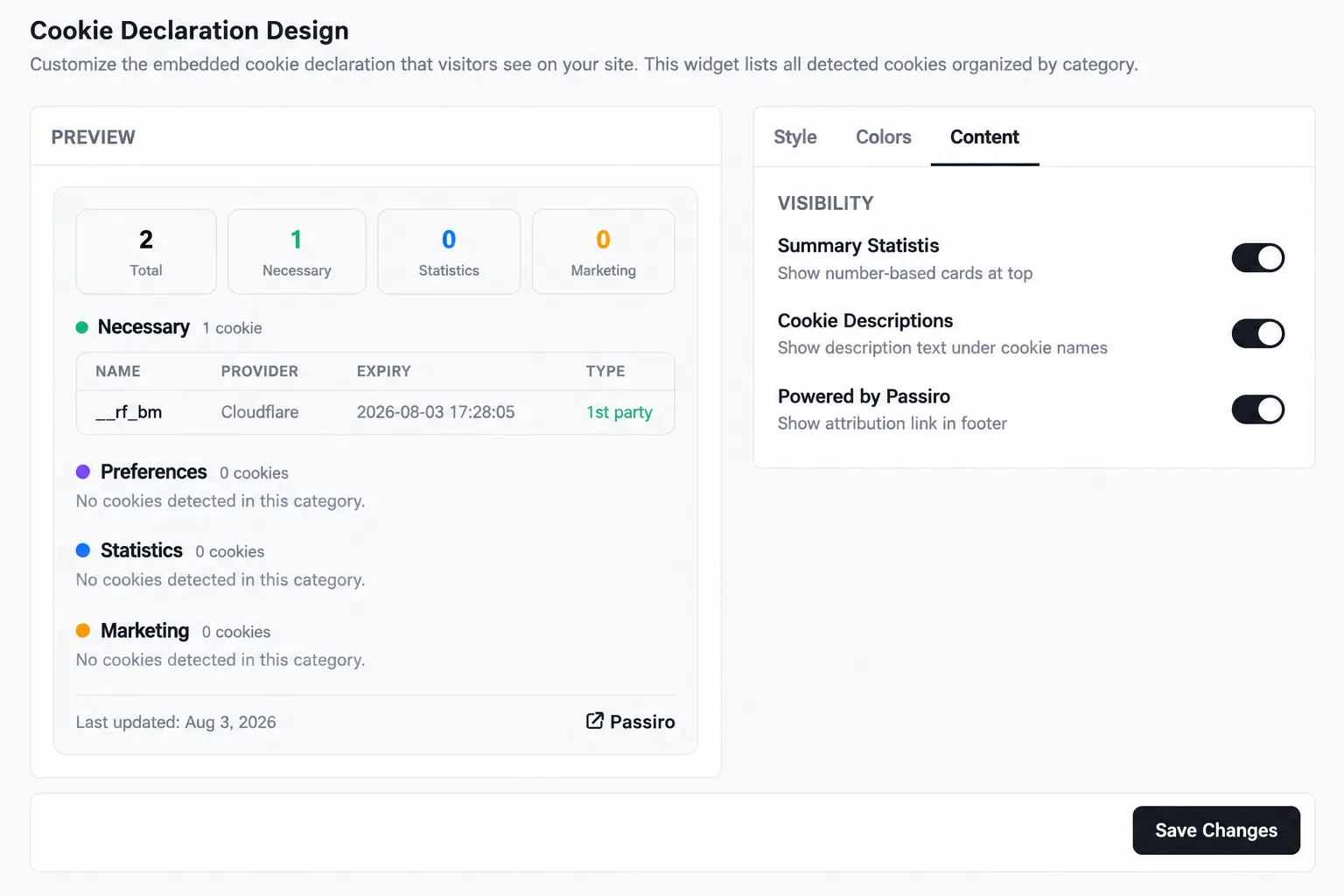
Screenshots are edited, anonymized examples. Use your own website, banner and Passiro script.