
Cookies and trackers
Review your scan history
Check whether a scan finished and compare cookie and tracker counts over time.
1. Open Scan History
Select Scan History in your website's sidebar.
2. Check the latest scan
Review its Status, Pages and Duration. A completed scan is ready to review. Compare the scanned page count with the scope you expected.
3. Look for changes
Use Cookies & trackers over time to spot changes between completed scans. After adding a new tool or publishing a website update, run a new scan and review Cookies Detected.
A higher count can be a useful signal to investigate. It does not, by itself, explain which website change caused the difference.
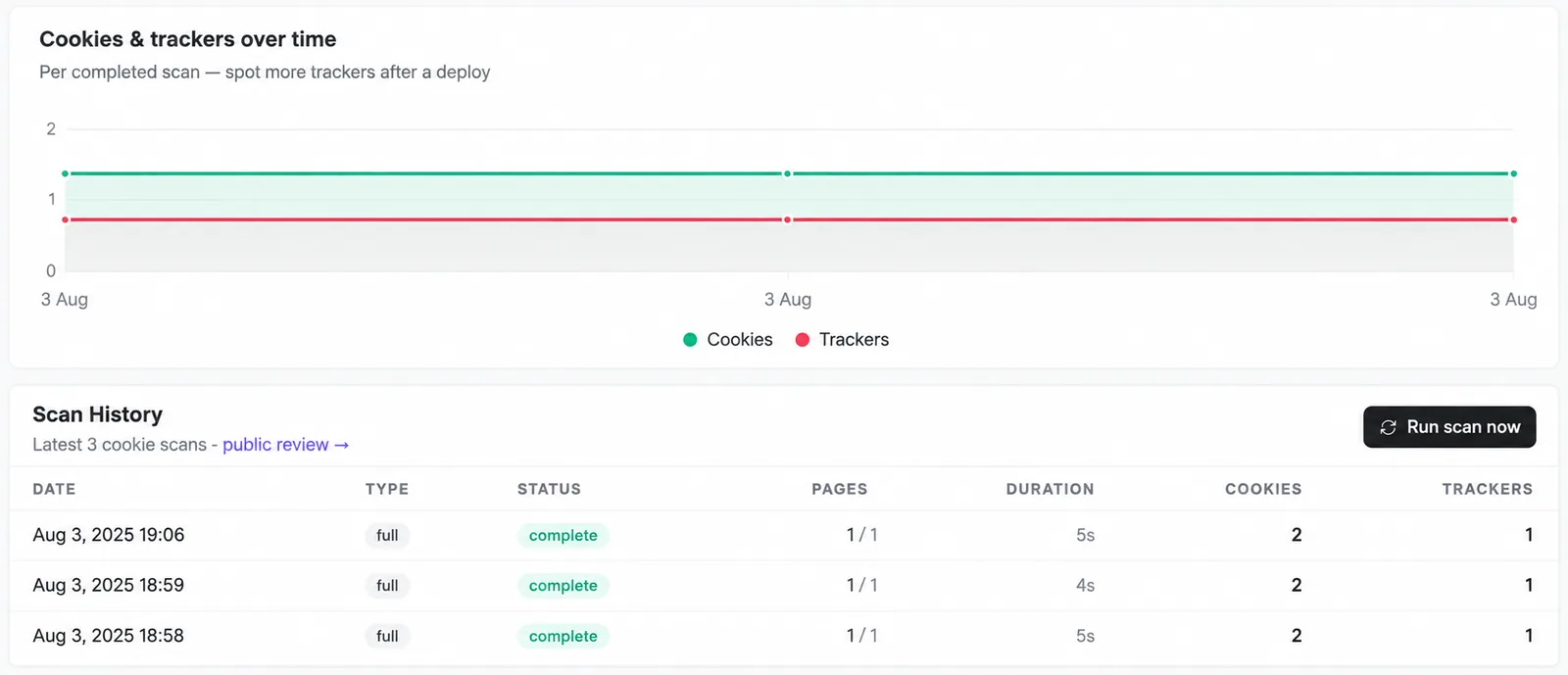
Screenshots are edited, anonymized examples. Use your own website, banner and Passiro script.